
The math looks obvious at first glance: a VPS that can run Mailcow costs around $15 a month. Fifty client mailboxes on a managed white-label platform cost $69.50 a month wholesale. If the server can handle all fifty, self-hosting saves $54.50 every month. For a 1-5 person MSP billing 20 to 200 client domains, that kind of reasoning gets revisited every time a vendor invoice arrives.
The problem is that $15 is only the server cost. The full cost of operating a self-hosted mail stack includes admin time, IP reputation from day one, port 25 access on the cloud platforms your team already uses, and the absence of any native WHMCS or Blesta provisioning module. Once those are in the picture, the break-even point shifts significantly and, for most shops at this scale, never actually arrives.
This piece works through each cost layer honestly, with real numbers, so you can make the decision with the full picture rather than just the invoice comparison.
Table of Contents
- Two Models, Defined Clearly
- What Self-Hosting Actually Costs
- The Port 25 Problem
- IP Reputation: The Startup Cost Nobody Invoices For
- The WHMCS and Blesta Integration Gap
- The Break-Even Math, Done Fully
- When Self-Hosting Genuinely Makes Sense
- The Failure Domain Risk in Multi-Client Setups
- Frequently Asked Questions
Key Takeaways
| Point | Details |
|---|---|
| Server cost alone is not the full cost | A Hetzner VPS adequate for Mailcow runs about $13-15/month. But recurring admin time, IP warming, and no billing automation often push total monthly cost well above white-label wholesale for books under 120 mailboxes. |
| Port 25 is blocked on the three most popular cloud platforms | AWS, Google Cloud, and Azure block outbound port 25 by default. Getting it removed on AWS requires a support case; GCP blocks it for most accounts. This rules out the platforms many MSPs already have credits or contracts on. |
| New IPs need months to build deliverability reputation | A fresh IP on any provider starts with no sending history. Expect elevated spam filtering from major receivers for at least 60-90 days, and plan a careful warm-up sequence before moving client mail in volume. |
| No WHMCS or Blesta module for open-source stacks | Mailcow, iRedMail, and Mail-in-a-Box have no native WHMCS or Blesta provisioning module. Every new client mailbox is a manual task or a custom API integration your team builds and maintains. |
| Self-hosting makes sense at scale with a dedicated technical operator | The economics flip for shops managing several hundred mailboxes with a dedicated sysadmin. Below that threshold, the operational overhead consistently exceeds the server cost savings. |
Two Models, Defined Clearly
When an MSP decides to offer email under its own brand, it lands in one of two operating positions. Understanding the different types of email hosting available to resellers helps frame the choice.
Self-hosted: You provision a virtual private server, install and maintain a mail server stack (Mailcow, iRedMail, Mail-in-a-Box, SmarterMail, or similar), configure DNS and spam filtering, manage IP reputation, and provision each client domain and mailbox yourself. You own the infrastructure entirely, which means you also own every failure, every security patch, and every deliverability incident.
White-label managed hosting: You buy mailboxes wholesale from a managed provider who runs the infrastructure, handles deliverability and IP reputation, publishes DNS records automatically, and gives you a client panel and billing module. You brand it as your product and set your own client-facing price. The provider's infrastructure is your infrastructure, but the overhead of running it is theirs, not yours. This is what white-label email hosting means in practice for a reseller.
Both paths let you put professional email on a client's domain under your brand. The question is what each one actually costs at the scale where a 1-15 person MSP realistically operates.
What Self-Hosting Actually Costs
Mailcow is free and open-source, which is why it comes up first when MSPs look at self-hosting. It packages Postfix, Dovecot, SoGo webmail, Rspamd for spam filtering, and ClamAV for virus scanning into a single Docker-based stack with a management UI. The software cost is zero. The infrastructure cost is not.
Mailcow requires a minimum of 2 GB RAM and recommends 4 GB for anything beyond a handful of domains. A Hetzner CPX21 (3 vCPU, 4 GB RAM, 80 GB SSD) runs approximately $12.67 a month at 2026 pricing following Hetzner's June 2026 rate adjustment. Call it $15 a month with backup storage added. That is the server cost, and it is real.
The cost that never appears on an invoice is admin time. A self-hosted mail server requires ongoing attention for things that a managed platform handles automatically:
- Security patches. Mailcow releases updates regularly. Applying them involves pulling new container images, running migrations, and verifying services restart cleanly. Skipping patches on a mail server is not an option.
- Spam filter tuning. Rspamd works well out of the box, but client-specific ham and spam patterns need periodic adjustment, especially in the first months of operation.
- IP blacklist monitoring. New IPs appear on blocklists. Checking MXToolbox or similar services, submitting delisting requests, and tracking which providers are deferring mail is a recurring task, not a one-time setup.
- Disk and storage management. Email storage grows. Quota policies, archive pruning, and disk expansion need active management per client.
- Certificate renewal and DNS changes. Let's Encrypt certificates renew automatically if your setup is correct, but every new client domain requires manual DNS configuration: MX, SPF, DKIM (exported from Mailcow per domain), DMARC, and optionally MTA-STS.
A conservative estimate for a competent sysadmin maintaining a 50-mailbox multi-tenant Mailcow instance is two hours per month once the platform is running steadily. At $75 an hour (a modest internal rate for technical time that could otherwise be billed), that is $150 a month in opportunity cost on top of the $15 server bill.
The Port 25 Problem
Outbound port 25 is required for a mail server to deliver email directly to recipient mail servers. Without it, your server cannot send mail; it can only receive it, which makes it useless as a mail platform.
The three most common "spin up a server" choices for MSPs in 2026 all block port 25 by default:
- AWS EC2: Port 25 is blocked by default on all EC2 instances. AWS accepts removal requests via a support case, but approvals are not guaranteed for new accounts or small-scale operations.
- Google Cloud Platform: GCP blocks connections to external TCP port 25 due to abuse risk. Removal is extremely difficult for accounts without a demonstrated history of legitimate sending.
- Microsoft Azure: Outbound port 25 is unsupported for Azure Platform-as-a-Service resources and limited for IaaS. Azure recommends routing through a third-party relay service instead.
Hetzner and OVH leave port 25 open by default, which is why Mailcow documentation consistently points to them as the preferred hosting choices for self-hosted email. DigitalOcean and Vultr block it by default but will unblock it via a support ticket request.
If your team already has AWS or GCP credits or existing contracts there, those credits do not buy you a working mail server. You need a separate account with a different provider, which adds a billing relationship and an infrastructure dependency outside your existing stack.
IP Reputation: The Startup Cost Nobody Invoices For
A fresh IP address, regardless of provider, carries no sending history. Major receivers (Gmail, Outlook.com, Yahoo Mail) evaluate every inbound message against the sending IP's reputation, and a new IP with no history gets treated cautiously. In practice, this means elevated placement in spam folders, soft bounces from receivers that defer mail from unknown IPs, and rate limiting from providers that throttle new senders.
The standard practice is IP warm-up: starting with low sending volume and gradually increasing it over 60 to 90 days while maintaining clean bounce rates and spam complaint rates. For a client expecting their business email to work from day one, this is a difficult conversation. For an MSP migrating 10 client domains at once, it is a genuine operational risk.
Established white-label platforms operate IP pools that have been sending mail for years across thousands of domains. Those pools carry accumulated reputation that a fresh VPS IP cannot replicate on any schedule shorter than months. The Namecheap outage in August 2026 illustrated the flip side of this: when a provider's infrastructure fails, everyone on it is affected. IP pool reputation is a double-edged asset.
The point is not that managed IP pools are risk-free; it is that starting from zero is a known, quantifiable disadvantage that costs you client goodwill during the warm-up period and is not reflected anywhere in the $15/month server bill.
The WHMCS and Blesta Integration Gap
Most MSPs billing 20 to 200 client domains run WHMCS or Blesta for their billing and provisioning workflow. Automating email setup and billing through those platforms is a significant efficiency gain, as this guide to email billing automation covers in detail.
Open-source self-hosted stacks have no native provisioning module for either platform. Mailcow has an API that a developer can integrate against, but that integration does not exist out of the box. iRedMail and Mail-in-a-Box similarly expose APIs but have no first-party WHMCS or Blesta modules in active maintenance.
Without that integration, every new client domain and mailbox is a manual task: log into the Mailcow admin panel, add the domain, create mailboxes, export the DKIM key, configure DNS manually, then go back into WHMCS to invoice the client. For one client, that is twenty minutes. For ten new clients in a month, it is several hours of work that generates zero revenue and is entirely avoidable with a managed platform.
SmarterMail, the commercial self-hosted alternative, does offer a WHMCS provisioning module. But SmarterMail Enterprise licensing for 250 mailboxes runs approximately $900 as a one-time license fee, plus annual maintenance. For a 1-5 person shop that is a meaningful capital outlay before accounting for the VPS to run it on.
The Break-Even Math, Done Fully
Here is the full cost picture at 50 mailboxes, the realistic size of a mid-tier client book for a small MSP:
| Self-hosted (Mailcow on Hetzner) | White-label managed hosting | |
|---|---|---|
| Server / platform cost | ~$15/month (Hetzner CPX21 + backup) | 50 × $1.39 = $69.50/month |
| Software license | $0 (Mailcow is free/open-source) | Included |
| Admin time (2 hrs/month at $75/hr) | $150/month | $0 (provider handles it) |
| DNS automation (per new domain) | Manual, ~15 min per domain | Auto-published (SPF, DKIM, DMARC) |
| WHMCS/Blesta provisioning | Custom build or manual | Native module included |
| IP reputation starting point | Zero, requires warm-up period | Established pool, immediate |
| Total estimated monthly cost | ~$165/month | $69.50/month |
The break-even on server cost alone, ignoring admin time entirely, is about 11 mailboxes: $15 divided by $1.39 per mailbox. If you have fewer than 11 mailboxes, white-label managed hosting is cheaper even before you factor in a single hour of admin work.
If you include even a modest two hours of admin time per month, the break-even shifts to roughly 119 mailboxes: ($15 + $150) divided by $1.39. And that assumes admin overhead stays flat as your client book grows, which it generally does not. More clients mean more DKIM key configurations, more blacklist incidents to investigate, more provisioning work, and more support requests that route to whoever runs the mail server.
For a 1-15 person shop billing through WHMCS, the managed wholesale model is almost always the lower total-cost option until you are well past 100 mailboxes with a dedicated technical operator who has nothing else to do. The comparison of per-mailbox wholesale pricing vs. flat-rate alternatives goes into more depth on why usage-based pricing scales predictably for resellers.
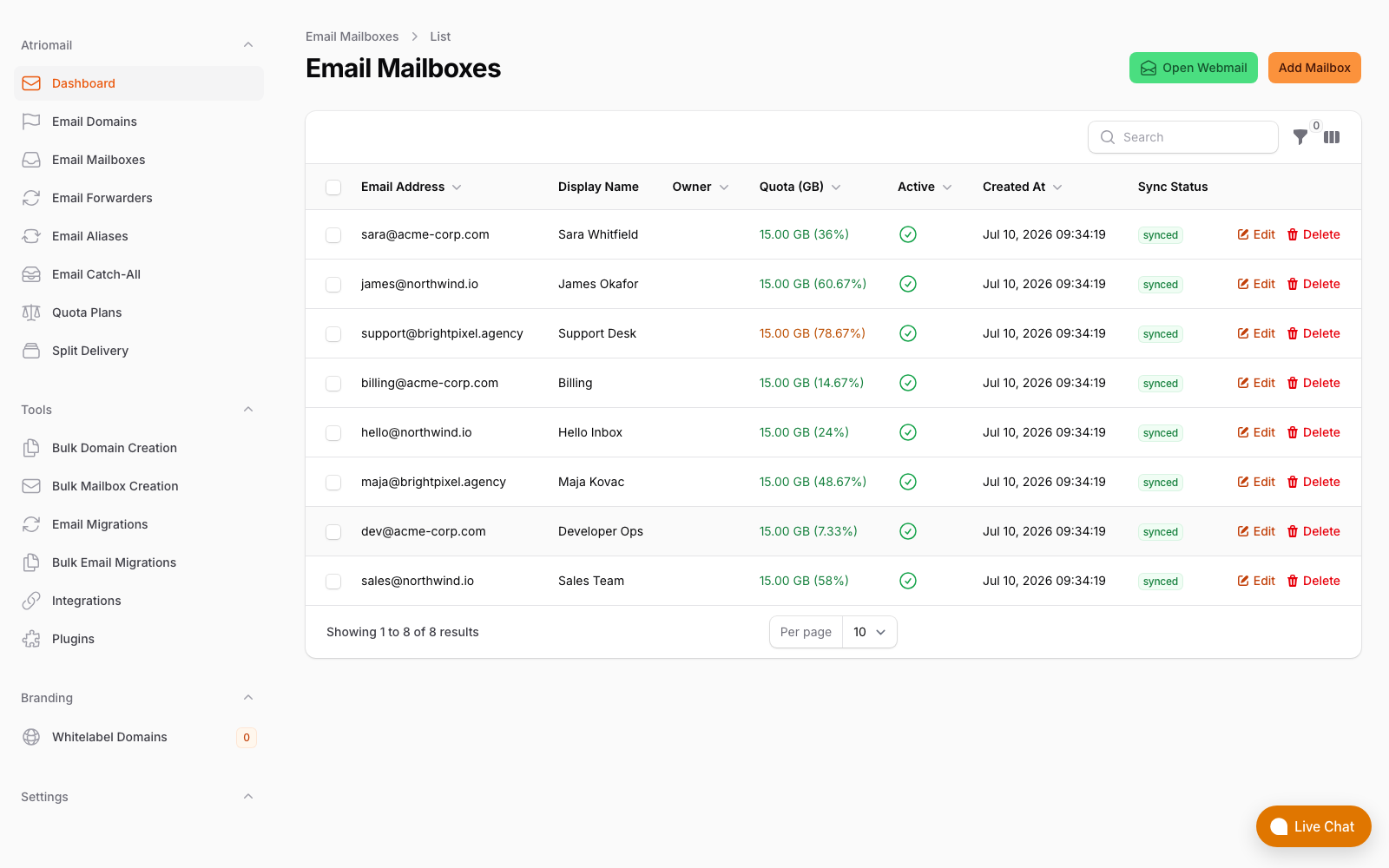
The mailbox list in Atriomail's panel, showing multi-domain management without a dedicated sysadmin on staff.
When Self-Hosting Genuinely Makes Sense
This comparison is not a claim that self-hosting is always wrong. There are specific conditions where running your own mail server is the right call:
- Data residency requirements. Some clients (typically in regulated industries or government contracts) require mail to be hosted in a specific country or on infrastructure under your physical control. No managed provider can satisfy every sovereign data requirement, and a self-hosted server in a specific datacenter can.
- Very high mailbox counts with a dedicated operator. At several hundred mailboxes with a full-time sysadmin whose role includes mail infrastructure, the fixed server cost begins to represent genuine savings. The same 2 hours per month of admin overhead does not scale linearly to 500 mailboxes, but neither does the problem-rate stay flat.
- Existing infrastructure investment. If your team already runs Hetzner servers for other workloads and has internal expertise in Docker-based infrastructure, the marginal cost of adding Mailcow drops significantly because the monitoring, backup, and operational runbooks already exist.
None of those conditions describe the typical 1-15 person MSP billing 20 to 200 client domains through WHMCS. For that shop, the math consistently points to managed wholesale, and the operational reality of port 25, IP warming, and manual provisioning reinforces it.
The Failure Domain Risk in Multi-Client Setups
One cost that does not appear in any monthly calculation but materializes quickly in practice: on a self-hosted multi-tenant server, every client shares the same IP address and the same infrastructure. A single client sending spam, triggering a blacklist, or generating an unusually high bounce rate from a bad mailing list affects the deliverability of every other client on the same server.
This is the same failure domain problem that contributed to the scale of the Namecheap outage in August 2026, where co-located DNS and mail infrastructure meant that a hardware failure in one area cascaded across unrelated clients. On a managed platform with dedicated IP pools per customer segment, that blast radius is smaller. On a single self-hosted VPS, one client's bad send day is everyone's bad mail day.
The comparison of email hosting alternatives covers how different platform architectures handle this multi-tenancy isolation differently, which is useful context if you are evaluating self-hosted commercial platforms like SmarterMail or IceWarp alongside the open-source options.
Similarly, the comparison between cPanel's built-in email and white-label hosting addresses the shared IP blacklisting problem for resellers using shared hosting infrastructure, which is a closely related version of the same risk.
Frequently Asked Questions
More detail on provisioning, migration, and pricing in the full FAQ.
Can I move clients to managed hosting later if I start self-hosted?
Yes. The migration path is straightforward in both directions via IMAP. Built-in IMAP migration on managed platforms like Atriomail copies existing folders and message dates rather than starting from an empty mailbox, so clients do not lose mail history during the switch. The main complexity is coordinating MX record changes across multiple client domains simultaneously, which is manageable if done domain by domain over a few days.
What about using a mail relay service to work around port 25 blocking?
Some teams route outbound mail through a relay service (Mailgun, SendGrid, Amazon SES) to avoid port 25 requirements on their VPS. This adds a per-message or per-month cost for the relay, introduces another provider dependency, and still leaves you managing the inbound Postfix/Dovecot stack yourself. It solves the port 25 problem but adds cost and complexity rather than removing either.
Does a managed platform really publish DKIM, SPF, and DMARC automatically?
Yes, for providers that integrate with DNS APIs. Atriomail publishes SPF, DKIM, and DMARC records automatically across 15 supported DNS providers when you add a domain. On a self-hosted Mailcow instance, you export the DKIM key per domain from the admin panel and add it manually to DNS, which is a few minutes of work per domain but adds up quickly as your domain count grows.
At what mailbox count does the math actually flip in favor of self-hosting?
On server cost alone, break-even is around 11 mailboxes (VPS at ~$15/month divided by $1.39/mailbox). Once you include two hours of admin time per month at $75/hour, break-even is around 119 mailboxes. In practice, admin overhead grows as the client book grows, which pushes the real break-even further out. For most 1-15 person MSP shops, the numbers favor managed wholesale up to several hundred mailboxes, at which point a dedicated sysadmin changes the calculation entirely.
Recommended
- Types of Email Hosting for Resellers, Atriomail
- What Is White-Label Email? Atriomail
- Automate Email Billing in WHMCS and Blesta, Atriomail
- Email Hosting Alternatives for Hosting Providers Compared, Atriomail
- Why Pay-Per-Mailbox Pricing Wins for Resellers, Atriomail
- cPanel Email vs. White-Label Email Hosting, Atriomail
- Pricing and the Reseller Margin Calculator, Atriomail
Latest from the blog
- How to Set Up BIMI So a Client's Logo Shows Up in Gmail and Yahoo · Oct 12, 2026
- DreamHost Email vs Atriomail: What "Unlimited" Doesn't Cover for Resellers · Oct 10, 2026
- A Client's Email Account Was Compromised: Why a Password Reset Alone Doesn't Fix It · Oct 9, 2026
- Aliases, Forwarders and Catch-Alls in Atriomail: The One Rule That Decides When They Work · Oct 8, 2026
- How to Move a Client's DMARC Policy to p=reject Without Breaking Their Mail · Oct 7, 2026