
Plenty of client domains have sat at p=none for years. Someone set up DMARC during an SPF cleanup, aggregate reports have been quietly piling up in a mailbox nobody reads, and the policy never moved past "just watch" because moving it to quarantine or reject feels like it could break a client's invoicing tool or CRM with no warning. That caution is reasonable, but it's also why so many domains stay exposed to spoofing indefinitely: a policy that only monitors protects nobody.
This post works through the safe order for enforcing DMARC on a domain that's been sitting at p=none, useful on any platform, including a 2026 change to the DMARC standard that quietly breaks a rollout trick older guides still recommend. It then covers what this looks like on Atriomail specifically, including a detail about its DNS automation that only matters once a domain already has a DMARC record, which is exactly where this task starts.
Table of Contents
- Before You Start
- Inventory Every System That Sends Mail as the Domain
- Read the Aggregate Reports Before You Touch the Policy
- Move to Quarantine First, and Give Subdomains Their Own Policy
- Move to Reject and Remove Legacy Tags
- How to Verify It Worked
- Common Mistakes and How to Avoid Them
- Doing This on Atriomail
- Frequently Asked Questions
Key Takeaways
| Point | Why it matters |
|---|---|
| p=none only watches, it doesn't protect | A domain can sit at p=none indefinitely while still being freely spoofable. Enforcement only starts at quarantine or reject. |
| The old pct= gradual-rollout trick is gone | RFC 9989 (May 2026) removed the pct tag entirely. A record that still carries pct=10 thinking it limits enforcement to 10% of mail gets the tag ignored by any receiver on the current standard, and the full policy applies to everything. |
| Subdomains need their own decision | The sp= tag sets a separate policy for subdomains; without it they inherit p=, but only until a subdomain publishes its own DMARC record, which then overrides both. |
| Read reports long enough to catch slow senders | A 48-hour window misses the monthly invoicing run or the quarterly survey tool, the sender that shows up failing three weeks after you thought it was safe to enforce. |
| What Atriomail does for this | Generates each domain's own DMARC record in the DNS Setup dialog and can publish it automatically on a connected Cloudflare or Namecheap account if the domain has none yet, but leaves an existing SPF or DMARC record in place rather than overwriting it, so updating a domain that's already at p=none is an edit you make yourself, the same as on any other host. |
Enforcement is a policy decision, not a DNS trick. Atriomail generates the DMARC record a domain needs and can publish a brand-new one automatically on a connected Cloudflare or Namecheap account, but it never chooses what p= value goes in it. That call, and the rollout below, is yours.
Before You Start
- Access to edit the domain's DNS zone, or a direct line to whoever holds it, since this task is an edit to an existing
_dmarcTXT record, not adding a new one. - At least two to four weeks of aggregate reports already arriving at a mailbox named in the record's
rua=tag. If reports aren't flowing yet, that's a separate first step: this task assumes the domain is already atp=noneand has been for a while. - A way to actually read those reports. If you haven't done this before, reading a DMARC aggregate report covers the XML structure and what each field means before you start making policy decisions from it.
dig,nslookup, or your DNS host's own TXT lookup tool, to confirm what's actually published, not what you think you published.- A rough list of everything that sends mail as the domain: the mailboxes themselves, plus any CRM, helpdesk, billing or marketing tool that sends on the domain's behalf. The next section turns this into a real inventory.
Inventory Every System That Sends Mail as the Domain
Before touching the policy tag, find every system that's allowed to send as the domain today, not just the ones you remember setting up. Two places hold the clues:
- The domain's SPF record. Each
include:mechanism names a service that's authorized to send on the domain's behalf, and a long chain of them is often the first sign a domain has accumulated more senders than anyone's kept track of, the same chain that causes the separate problem covered in fixing an SPF record with too many DNS lookups. - The source IPs already showing up in aggregate reports. Cross-reference each one against the services you expect: an email service provider, a help desk, an invoicing tool, a CRM. Anything left over after that match is either a sender nobody documented or, occasionally, something that shouldn't be sending as the domain at all.
Matching a source to a service doesn't mean it's safe for enforcement yet. A sending service can pass SPF through a shared-IP include and still fail DMARC, because SPF alignment and DKIM alignment are judged separately: SPF checks the domain in the Return-Path, DKIM checks the d= domain in the signature, and DMARC passes if either one aligns with the From: header domain. A service signing with its own domain instead of the client's won't align on DKIM even while passing SPF cleanly, a different failure mode than the selector and key problems in fixing a DKIM signature that's failing after a migration, but worth ruling out the same way: check which domain actually appears in the sender's d= tag, not just whether DKIM is present at all.
A domain's real sender list is usually longer than anyone remembers. Atriomail generates SPF, DKIM and DMARC records for every domain it hosts, signed for that domain's own name once its records are in DNS, which at least removes the mailboxes themselves from this inventory problem.
Read the Aggregate Reports Before You Touch the Policy
Once the inventory is built, the aggregate reports tell you whether it's actually ready for enforcement. For each sender identified above, confirm it shows dkim=pass or spf=pass under policy_evaluated, meaning it aligned, not just that authentication happened at all somewhere in the chain. A sender that shows fail needs fixing at the source, usually an SPF include or a DKIM selector it isn't actually using, before the domain's policy changes, not after.
Give this longer than feels necessary. A short window reliably misses the sender that only runs monthly or quarterly: a billing run, an annual renewal notice, a survey tool used twice a year. Two to four weeks of reports catches most of a normal business's sending pattern; a domain with infrequent or seasonal sending needs longer. Rushing this step is the single most common reason enforcement looks safe on a Tuesday and breaks something three weeks later, and it's easy to rush once you're tracking this across a whole book of domains rather than one, the same pressure covered in managing multi-client email at scale.
Move to Quarantine First, and Give Subdomains Their Own Policy
Once reports show every known sender aligning cleanly, move the record to p=quarantine, not straight to reject. RFC 9989, the current DMARC standard published May 2026, defines quarantine as mail the owner "considers suspicious," versus reject, where a failure is "a clear indication that the use of the domain name is not valid" (RFC 9989, rfc-editor.org, checked October 2026). Quarantine routes failures to spam instead of bouncing them outright, a softer landing for anything the inventory step missed.
If even quarantine feels risky, the same RFC defines a new t= (testing) tag: t=y tells a receiver to apply the policy "one level below" what's published, so a reject record is enforced as quarantine, and a quarantine record as none, until removed (RFC 9989, checked October 2026). It's a binary dial, not a percentage, but a genuine softer step for a domain that's especially sensitive to a mistake.
This is also the point to decide on subdomains. DMARC's alignment rules mean a subdomain's mail is judged against the organizational domain unless the subdomain publishes its own DMARC record, in which case that record takes over completely, and unless the root record sets sp=, a subdomain falls under the same p= value as the root. A marketing or transactional-email subdomain run by a separate service often needs a policy decision of its own rather than silently inheriting the root domain's, something worth checking during domain setup and branding generally, not just at enforcement time.
Move to Reject and Remove Legacy Tags
After a clean run at quarantine, typically one to two weeks, move the record to p=reject. This is also the moment to clean up anything left over from an older rollout approach. If the record still carries a pct= tag from before, drop it now: RFC 9989 states plainly that "the 'pct' tag was removed from DMARC in this update" and that domain owners "MUST update their record to remove it, as Mail Receivers implementing this version of DMARC will ignore it" (RFC 9989, Appendix A.6, checked October 2026). A lot of older DMARC guides still describe easing into enforcement with something like pct=25, under the old assumption that a receiver would only apply the policy to a quarter of mail. Under the current standard, that tag does nothing, so if a domain's record still has one, it isn't providing the safety margin anyone thinks it is.
Check for duplicate records while you're in there, too. RFC 9989 is explicit that "if multiple DMARC Policy Records are returned for a single target, they are all discarded" (checked October 2026), meaning a domain with two _dmarc TXT records at the same name isn't running the stricter of the two, it's running no DMARC protection at all, silently, the kind of gap automated DNS validation is meant to catch before it reaches this stage.
How to Verify It Worked
- Query the live record with
dig TXT _dmarc.domain +shortand confirm it reads exactly what you published, including thep=value, with no straypct=tag or duplicate record at the same name. - Send a test message from a source that is not in the domain's SPF or DKIM records, and confirm it's quarantined or rejected rather than delivered normally, proof the policy is actually being applied, not just published.
- Read the next batch of aggregate reports and confirm
policy_evaluatednow shows the disposition you set, with no previously-aligned sender suddenly failing. - Run the domain through Atriomail's free DNS checker at /dns-checker/, which confirms the record exists and is well-formed without needing an account. It's a well-formedness check, not a policy audit, so still read the aggregate reports for the actual enforcement result.
Wait out the record's DNS TTL before any of this, so you're not reading a cached answer from before the change, the same discipline that matters when confirming any other DNS record change on a client's domain.
Common Mistakes and How to Avoid Them
- Keeping a
pct=tag for "safety." Symptom: a domain owner believes enforcement only applies to a fraction of mail, then every legitimate sender that fails alignment gets hit at once, because receivers on the current standard ignore the tag entirely. - Jumping straight from
nonetoreject. Symptom: everything looks fine for weeks, then a quarterly or annual sender's mail starts bouncing with no recent change to explain it. - Forgetting subdomains. Symptom: a marketing or transactional subdomain's mail starts failing at enforcement even though the root domain's own mail is unaffected, because it was never given its own
sp=decision. - Treating an SPF pass as enough. Symptom: a sender shows
spf=passin reports but DMARC still fails, because theReturn-Pathdomain and theFrom:header domain don't share an organizational domain, so SPF never aligns regardless of the raw pass. - Testing before the TTL has expired. Symptom: a correctly updated record still appears to show the old policy for a window after publishing, simply because a resolver somewhere is holding the previous answer.
- Two
_dmarcrecords at the same name. Symptom: inconsistent behavior across receivers, or no enforcement at all, because a domain with duplicate DMARC records is treated as having none, not the stricter of the two.
Working through these before enforcing belongs on the same client-domain checklist as the reseller's email security playbook and proven email security protocols generally, and worth flagging to the client in advance through whatever client support process you already run, since a policy change affecting mail they send is the kind of thing that generates a support ticket if nobody mentioned it first.
Doing This on Atriomail
When a domain is first added to Atriomail, the panel generates that domain's own SPF, DKIM and DMARC records, ready to copy from the DNS Setup dialog. On a connected Cloudflare or Namecheap account, Atriomail can publish a DMARC record automatically once the domain clears the security check, but only if the zone doesn't already have one: Atriomail reads the zone first and leaves an existing SPF or DMARC record in place rather than adding a second one. Since this entire task starts from a domain that's already sitting at p=none, that existing record is exactly what you're editing, so moving it to quarantine or reject is a change you make yourself, either directly in Cloudflare's or Namecheap's own DNS tool or, on every other host, through the same DNS Setup dialog. Atriomail doesn't choose or adjust that policy value on its own, now or later.
Each domain in the panel shows its DNS status with an on-demand refresh button, so after you edit the record at your DNS host, use it to confirm the panel sees the live value rather than waiting on its next scheduled check. If any of the domain's mailboxes are hosted on Atriomail, their outgoing mail is already DKIM-signed for the domain's own name once its records are set up, which is the alignment this whole exercise is checking for, but it's still worth confirming with the DNS checker and the next aggregate report rather than assuming it automatically.
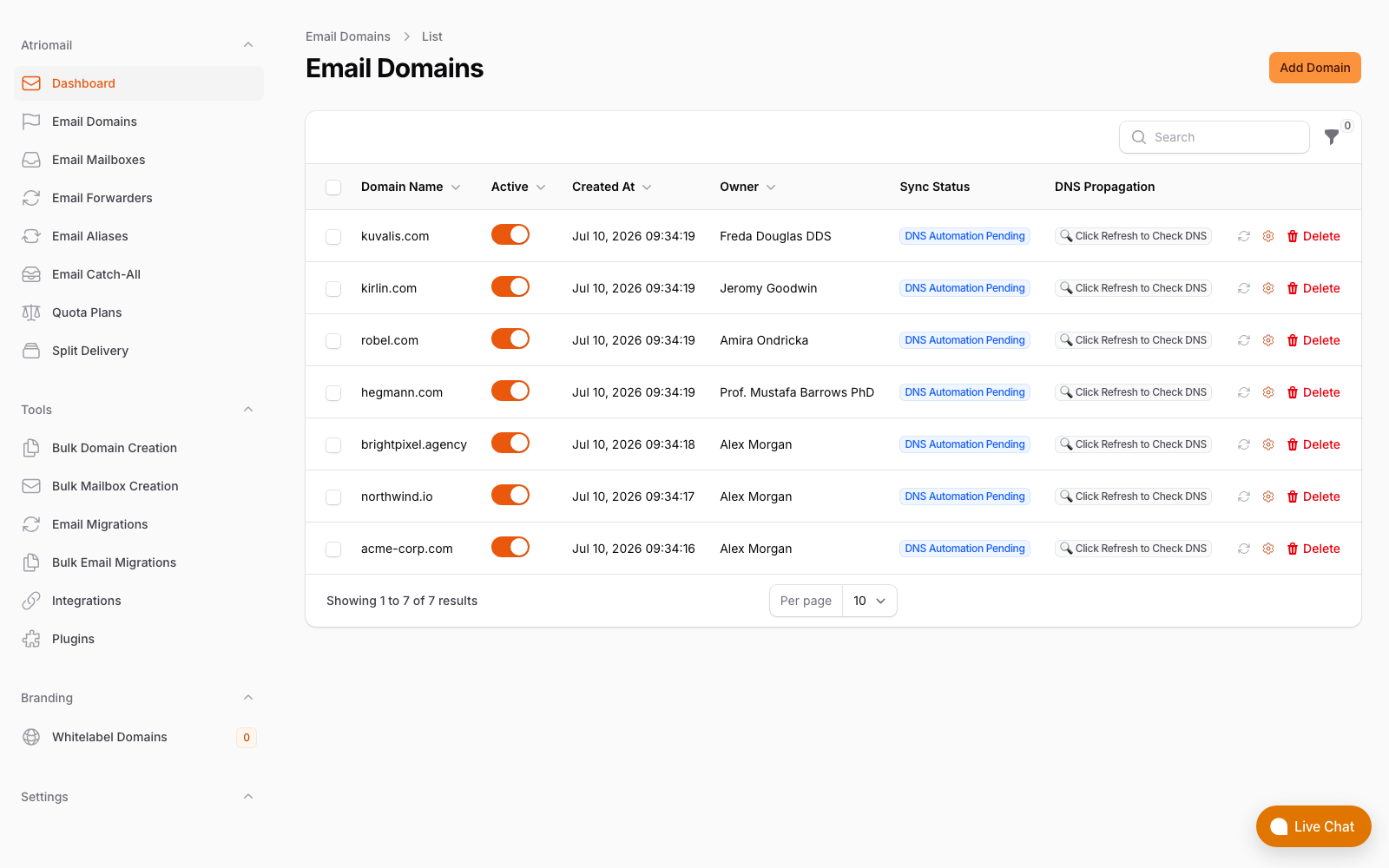
The Email Domains list, showing each domain's DNS sync status and the refresh check used to confirm a record after an edit. Real panel, no mockup.
None of this changes what a mailbox costs: it's still $1.39 per mailbox with 15 GB included, whether a domain's DMARC record has sat at p=none for three years or was enforced this morning. Create your account, add the domain, and work through the rollout above before changing anything in the DNS Setup dialog.
The policy decision stays yours. Atriomail generates the DMARC record a domain needs and can publish a first one automatically on a connected Cloudflare or Namecheap account, but moving an existing record from monitoring to enforcement is an edit you make, the same as on any other host.
Frequently Asked Questions
What's the real difference between p=quarantine and p=reject?
Both are enforcement policies, but quarantine tells receivers the mail is suspicious, which commonly means it's routed to spam; reject tells receivers the domain owner considers it invalid outright, which commonly means it's refused during the SMTP transaction. Quarantine gives more room for something the inventory step missed to still arrive, just not in the inbox.
Can I still use pct= to control the rollout risk?
No. RFC 9989, the current DMARC standard, removed the pct tag entirely in May 2026. A record that still has it published gets that tag ignored by any receiver on the current standard, so the full policy applies to all mail regardless of the percentage listed. Use the quarantine step and, if needed, the newer t=y testing tag instead.
Do subdomains automatically follow the root domain's policy?
Only until a subdomain publishes its own DMARC record, which then takes over completely, or until the root record sets an sp= tag giving subdomains a different policy. A subdomain run by a separate marketing or transactional sender is worth checking individually rather than assuming it's covered.
Can Atriomail publish my updated DMARC policy automatically?
Only for a domain with no existing DMARC record yet, on a connected Cloudflare or Namecheap account. Once a record exists, which it will for any domain going through this rollout, Atriomail leaves it in place rather than overwriting it, so you edit the policy value yourself, the same as you would on any other DNS host.
Will moving to p=reject affect mail sent from an Atriomail mailbox on that domain?
It shouldn't, since Atriomail signs outgoing mail with DKIM for the domain's own name once its records are set up, which is what DMARC alignment checks for. Confirm it with the free DNS checker and the next aggregate report after the change rather than assuming it, the same as for any other sender on the domain.
How long should a domain stay at quarantine before moving to reject?
One to two weeks of clean reports is a reasonable minimum, longer for a domain with infrequent or seasonal senders that might not show up in a short window. There's no fixed rule; the reports, not the calendar, are what tell you it's safe.
Recommended
- How to Read a DMARC Aggregate Report, Atriomail
- How to Fix a DKIM Signature That's Failing After an Email Migration, Atriomail
- SPF PermError: How to Fix an SPF Record With Too Many DNS Lookups, Atriomail
- Mastering DNS Automation to Boost Email Deliverability, Atriomail
- The Reseller's Email Security Playbook, Atriomail
- Avoid Service Interruptions With Proven Email Security Protocols, Atriomail
Latest from the blog
- How to Set Up BIMI So a Client's Logo Shows Up in Gmail and Yahoo · Oct 12, 2026
- DreamHost Email vs Atriomail: What "Unlimited" Doesn't Cover for Resellers · Oct 10, 2026
- A Client's Email Account Was Compromised: Why a Password Reset Alone Doesn't Fix It · Oct 9, 2026
- Aliases, Forwarders and Catch-Alls in Atriomail: The One Rule That Decides When They Work · Oct 8, 2026
- OVHcloud Email Pro: What a £1.39 Mailbox Actually Costs a Reseller in Dollars · Oct 6, 2026