
On January 27, 2026 Microsoft re-dated the last piece of basic authentication still alive in Exchange Online, and the new milestone lands next month. At the end of December 2026, SMTP AUTH basic authentication becomes disabled by default for existing tenants; for tenants created after December 2026 it is unavailable by default, with OAuth the supported method; a final removal date comes in the second half of 2027. It was first announced on April 15, 2024 and has already slipped twice (Exchange Team Blog's updated SMTP AUTH deprecation timeline, January 27, 2026, checked November 2026).
If you bill 20 to 200 client domains this is not a mailbox problem, it is an inventory problem on every tenant you touch: the copier that scans to email, the app that mails dispatch notes, the WordPress contact form, the backup box that reports nightly. Each holds a mailbox address and a password pointed at smtp.office365.com, and each is a January ticket with your name on it. Below: what breaks, what Microsoft's four routes require, and where an Atriomail mailbox is the shorter answer.
Table of Contents
- What Microsoft Changed, and the Date on It
- The Senders That Break on a Client Tenant
- The Routes Microsoft Documents, and the One It Is Retiring
- Microsoft 365 vs Atriomail for Resellers
- What This Does to a 200-Mailbox Book
- When Microsoft 365 Makes Sense
- Where Atriomail Fits
- FAQ
Key Takeaways
| Point | Details |
|---|---|
| End of December 2026 is the date | Off by default for existing tenants, unavailable by default for newer ones. Microsoft says admins can still enable it, but publishes no procedure. |
| It hits devices and apps, not people | Basic auth for Outlook, ActiveSync, POP, IMAP and EWS left every tenant in the October 1, 2022 round. Client submission was the last survivor. |
| The OAuth fix is four admin acts per tenant | An Entra app registration with SMTP.SendAsApp, tenant admin consent, a service principal in Exchange Online PowerShell, a mailbox permission per mailbox. |
| Every fallback has a disqualifier | SMTP relay needs a certificate or static unshared IP and cannot run from a third-party host. Direct Send cannot reach external recipients. High Volume Email is internal. |
| Atriomail keeps password SMTP | An Atriomail mailbox signs in over standard SMTP with its address and password, STARTTLS on port 587, at $1.39 a month with 15 GB. Bulk and cold email are not allowed. |
Price the email line before the January tickets arrive. Atriomail is $1.39 per mailbox per month with 15 GB included, extra storage at $0.60 per 5 GB block, billed monthly with no minimum and no contract. Creating an account is free and needs no card, and mailboxes are billed from the first one.
What Microsoft Changed, and the Date on It
For the legacy protocols this finished years ago: Microsoft Learn states that basic auth is now disabled in all tenants for ActiveSync, POP, IMAP, EWS, Autodiscover and Outlook, and that nobody, support included, can turn it back on (checked November 2026). One endpoint was carved out, client submission, used by everything that only needs to send, and in April 2024 Microsoft said it would remove basic auth from smtp.office365.com and smtp-legacy.office365.com, publishing the rejection clients would get: 550 5.7.30 Basic authentication is not supported for Client Submission.
Two details matter before you promise a client anything. "Disabled by default" is not "removed", but the January 2026 timeline publishes no cmdlet or procedure for re-enabling it, and the April 2024 post it supersedes still says the opposite. And a 550 is a permanent rejection, not a deferral, so the sender does not retry and nothing waits in a queue for you to spot; our guide to what an SMTP code is actually telling you covers that distinction.
Already running clients in a Microsoft tenant? Moving a Microsoft 365 tenant needs a different route than our IMAP tool; talk to us before you quote it.
The Senders That Break on a Client Tenant
What makes this expensive is that nobody has a list. The senders at risk were installed once, by somebody else, and never touched again:
- Printers and scanners. Scan-to-email set up with a mailbox address and password, often on firmware with no OAuth field.
- Line-of-business applications and scripts. Dispatch, practice-management and accounting software, PowerShell and cron jobs, credentials stored in a config screen or an
.inifile. - Websites and forms. WordPress sites running an SMTP plugin pointed at the client's tenant so contact-form mail comes from their domain.
- Monitoring, backup and NAS boxes. Job reports and disk-failure alerts, which fail silently in the way that matters most.
Building that inventory is the work, and it is the sweep you ran for the EWS retirement earlier this year, so reuse the method: our checklist for the Exchange Online EWS retirement audits tenants by protocol rather than by product name. The drift has been visible for years, too: Microsoft's device setup page notes that SMTP AUTH has been off for organizations created after January 2020 and must be enabled per mailbox (page updated October 5, 2026).
Atriomail does not shrink that inventory; it changes what you do with the entries. An Atriomail mailbox signs in over standard SMTP with its own address and password, STARTTLS on port 587, the configuration those devices already hold, and our knowledge base documents the same settings for a script or an agent given its own mailbox. The limit is the sending policy, not the protocol: bulk and cold email are not allowed, because every customer shares the platform's sending reputation. A scanner is in scope; a campaign blaster is not. A standing password in a device still deserves fixing on its own terms, per our email security practices for hosting and IT managers.
The Routes Microsoft Documents, and the One It Is Retiring
Microsoft's device page lists four methods. All of this comes from that page, from Microsoft Learn's OAuth guide for IMAP, POP and SMTP, and from its High Volume Email documentation, checked November 2026.
Client SMTP submission is what everyone uses today and the one being switched off: port 587 or 25, TLS 1.3 or 1.2, a licensed mailbox to send from, throttling at 10,000 recipients a day and 30 messages a minute, and delivery inside and outside the organization. OAuth on the same endpoint keeps it alive where the app speaks XOAUTH2, at the cost of four administrative acts per tenant: an Entra app registration with SMTP.SendAsApp under the Office 365 Exchange Online API, not Graph; tenant admin consent with the SMTP-specific scope https://outlook.office365.com/.default; a service principal registered with New-ServicePrincipal, its object ID from the Enterprise Application entry, not the app registration overview; then Add-MailboxPermission per mailbox. None of it is hard, all of it repeats per client, and none of it helps a copier with no OAuth field.
The other three each carry a disqualifier. SMTP relay drops the mailbox requirement, but its connector needs a TLS certificate or a static public IP not shared with another organization, and Microsoft states you cannot use it from a third-party hosted service, which rules out a WordPress site on shared hosting. Direct Send needs no authentication, which is why Microsoft recommends it only for advanced customers, says it is working on an option to disable it by default, and confirms it reaches recipients inside the tenant only; it also wants the static IP in the domain's SPF record, one way a record grows past the point where it stops evaluating (see fixing an SPF record with too many DNS lookups). High Volume Email is internal only, needs a pay-as-you-go billing policy on an Azure subscription, charges $0.000042 per delivered recipient and caps a message at 50 recipients, though it has no rate limits and needs no licence per account.
Which leaves the route Microsoft recommended for app mail going outside the company, and that one is being withdrawn. The April 2024 post sends internal and external application mail to Azure Communication Services Email. Microsoft Learn's ACS retirement guide (updated October 29, 2026) says Microsoft announced ACS's retirement as a standalone offering on September 23, 2026, effective September 30, 2028, lists ACS Email among the retired services in maintenance mode, and limits onboarding from October 23, 2026. Its replacement for ACS Email points back at High Volume Email, which is internal only. So for a device that must email someone outside the client's company, with no OAuth and no static unshared IP, Microsoft's documented set has no answer short of replacing the device or the sender.
That is the gap Atriomail closes for the straightforward cases: a billed mailbox, a password, nothing to arrange in a tenant. Outgoing mail goes through Amazon SES on shared infrastructure, each sending domain verified with Amazon and DKIM-signed for its own name, with no Azure subscription and no per-recipient meter. Which clients belong where is ordinary multi-client triage.
Microsoft 365 vs Atriomail for Resellers
Every Microsoft cell comes from the vendor's own documentation, checked November 2026. Microsoft's retail pricing pages would not load this run, so there is no per-user price row rather than a figure from memory.
| Dimension | Microsoft 365 / Exchange Online | Atriomail |
|---|---|---|
| Device or app sending with a password | Off by default for existing tenants from the end of December 2026; unavailable for newer tenants | Standard SMTP with the mailbox address and its password, STARTTLS on port 587 |
| What the app must do instead | Entra app registration with SMTP.SendAsApp, tenant admin consent, New-ServicePrincipal, a mailbox permission per mailbox |
Nothing. There is no OAuth sign-in for mail apps or devices |
| Does the device need a paid mailbox? | Client submission needs a licensed mailbox; SMTP relay and Direct Send do not | Yes. $1.39 per mailbox per month, 15 GB included |
| High-volume application mail | High Volume Email: internal only, $0.000042 per delivered recipient, 50 recipients per message | No equivalent. Bulk and cold email are not allowed |
| Included mailbox storage | 50 GB on Exchange Online Plan 1, 100 GB on Business Basic and Standard | 15 GB per mailbox, not a shared pool; more in 5 GB blocks at $0.60 |
| Adding a domain's mail DNS | Added by hand at the DNS host unless the registrar supports Domain Connect | Automatic on Cloudflare and Namecheap for domains in the connected account; elsewhere from the DNS Setup dialog, Amazon SES records always by hand. Try our free DNS checker |
| Billing each client yourself | A CSP indirect reseller cannot transact without an active distributor relationship | WHMCS module 3.1.1 for WHMCS 9, Blesta module 2.1.0 for Blesta 6.0 and later, from the Plugins page |
| Reducing what you pay for | A licence count drops only within seven days of those licences being added, then not until renewal | No minimum, no contract. Changes show on the next monthly invoice |
What This Does to a 200-Mailbox Book
Take the book this audience runs: 200 billed mailboxes across 25 client domains, a third of them holding at least one device or app that submits mail with a password. That is eight or nine tenants needing an app registration, a firmware upgrade or a replacement sender inside six weeks, with the calls arriving in one week, which argues for settling a support process built for a reseller book first.
On the Atriomail side the arithmetic is flat. 200 mailboxes at $1.39 is $278.00 a month wholesale; resold at $5.00 a mailbox that is $1,000.00 billed, leaving $722.00 a month, about 72 percent, or $8,664 a year, before card fees, support time and any white-label fee. At 200 paid mailboxes white-label branding is included, so that fee is zero here; it is $50 a month only below 50 paid mailboxes. The $5.00 is an illustration, since Atriomail charges you $1.39 and does not decide what you charge, as our note on usage-based email pricing explains.
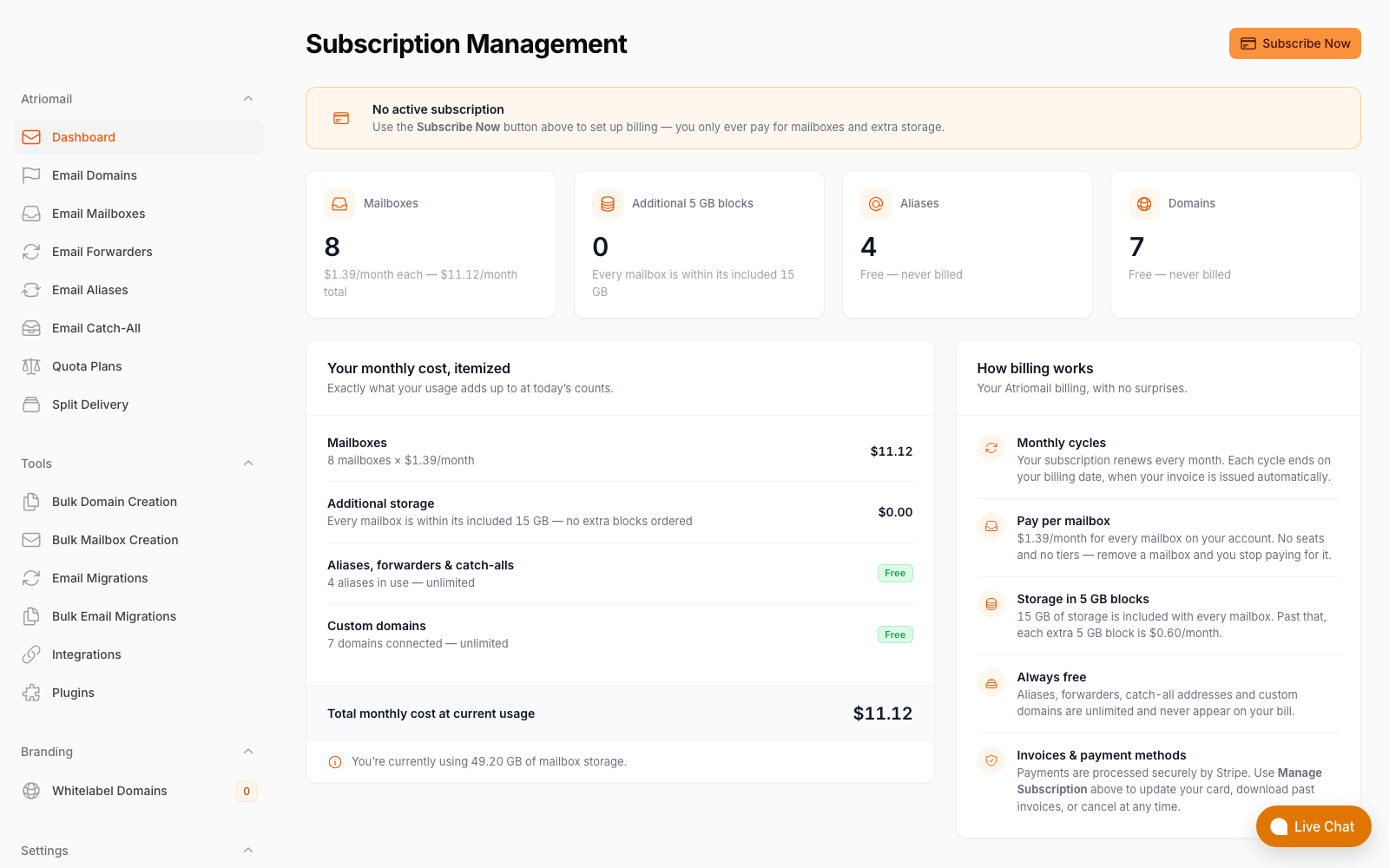
The Atriomail billing page, itemized per mailbox.
When Microsoft 365 Makes Sense
This is Microsoft doing the right thing, late: a standing password in a copier has no second factor behind it, and OAuth with a scoped permission is better security. Keep a client on Microsoft 365 when:
- They use Teams, SharePoint, OneDrive or the Office applications. Atriomail does not replace a collaboration suite.
- They need calendar and contact sync. Atriomail migration moves mail only, and mailboxes do not offer ActiveSync-style sync.
- Their application mail is high volume and internal, which is what High Volume Email was built for.
- They run on-premises Exchange in hybrid, where Microsoft's relay path is the shortest fix.
- Compliance or eDiscovery obligations are written against Microsoft's tooling.
Where Atriomail Fits
Split the book on one question: does this client need a suite, or email that works? For the second group, usually the larger one, December is an opening rather than a problem.
Atriomail is $1.39 per mailbox per month with 15 GB included, extra storage in 5 GB blocks at $0.60, no minimum and no long-term contract. Mailboxes work with standard mail apps over IMAP, POP3 and SMTP on encrypted connections, so the scanner, the dispatch app and the WordPress plugin keep the configuration they hold. You bill on your own invoice through the WHMCS or Blesta module and set the resale price. If a client's DNS sits on Cloudflare or Namecheap and the domain is already in the connected account, Atriomail writes the MX, SPF, DMARC, autodiscover and autoconfig records and the DKIM key into the zone once the domain clears its security check; writing the MX moves that domain's mail at that moment, so add the domain when you are ready to switch. Elsewhere the DNS Setup dialog lists every record. Creating an account is free and needs no card; mailboxes are billed from the first one.
Two things to be straight about first. Atriomail's IMAP migration cannot sign in to Microsoft mailboxes: Microsoft no longer allows password sign-in over IMAP, so moving a Microsoft 365 tenant needs a different route, and it is worth talking to us before you put a number on it. And Atriomail is not a platform for campaigns, because bulk and cold email are banned where sending reputation is shared. What is left is the dull part done properly: mailboxes on a client's own domain at a price you control, under your own brand once the account pays for 50 or more mailboxes, with support during business hours. For what that branded surface covers and what stays neutral, the white-label add-on is documented line by line; on staying in the Microsoft channel, our comparison of what the CSP reseller programme asks of a small agency is the other half, and reseller email hosting covers the model. Stay with Microsoft if your clients live in Teams; move if you are holding nine tenants, a dozen nameless devices and six weeks.
Work out the December plan one client at a time. Atriomail mailboxes are $1.39 a month with 15 GB included, billed monthly with no minimum, and white-label branding is included for accounts paying for 50 or more mailboxes, $50 a month below that with no setup fee. Creating an account is free and needs no card; mailboxes are billed from the first one.
Frequently Asked Questions
Does this break Outlook or a user's phone?
No. Basic authentication for Outlook, ActiveSync, POP, IMAP and EWS left every tenant in the October 1, 2022 round, and Microsoft Learn states it cannot be re-enabled by anyone. The December 2026 milestone is client submission specifically, the endpoint devices and applications use to send.
Can I just re-enable SMTP AUTH basic authentication in January?
Microsoft's January 2026 timeline says administrators will still be able to enable it if needed, but publishes no procedure, and the April 2024 post it replaced says the opposite: permanently disabled, no exceptions. Treat any re-enable path as a reprieve rather than a plan, since a final removal date comes in the second half of 2027.
Can a printer or an app send through an Atriomail mailbox with a password?
An Atriomail mailbox uses standard SMTP with the full email address as the username and the mailbox password, STARTTLS on port 587, and the knowledge base documents those settings for a script or an agent given its own mailbox. The limit is the sending policy rather than the protocol: bulk and cold email are not allowed, because every customer shares the platform's sending reputation.
Can Atriomail migrate a client out of Microsoft 365?
Not with the built-in tool. Atriomail's IMAP migration signs in to the old server with a password, which Microsoft no longer allows over IMAP, so moving a Microsoft 365 tenant needs a different route; talk to us before you quote it. The tool does work for typical hosting mail on cPanel, Plesk or DirectAdmin servers, and for Gmail or Google Workspace with an app password, moving mail and folders but not calendars or contacts.
Can I bill Atriomail mailboxes from WHMCS?
Yes. The Atriomail WHMCS module is version 3.1.1 for WHMCS 9, from the Plugins page in the control panel, handling Create, Suspend, Unsuspend, Terminate and Change Package. What clients add in the WHMCS client area bills as recurring charges at your retail prices, titled "AtrioMail mailboxes".
Recommended
- Exchange Online EWS Retirement: What MSPs Fix Now, Atriomail
- Microsoft 365 CSP Reseller Program vs White-Label Email, Atriomail
- Email Security Best Practices for Hosting and IT Managers, Atriomail
- Multi-Client Email Management for Agencies, Atriomail
- What Is Reseller Email Hosting? Atriomail
- Email Hosting Terminology Explained, Atriomail
Latest from the blog
- Google Workspace API Usage Tiers: What Resellers Automating Client Email Must Do by February 2027 · Nov 26, 2026
- How to Retire a Client's Old Mail Server After an Email Migration · Nov 25, 2026
- When a Client's Domain Is Ready for Stricter DMARC: Atriomail's Grade and Guides · Nov 24, 2026
- AtrioDMARC vs EasyDMARC: An EasyDMARC Alternative for MSPs Who Host Client Email · Nov 23, 2026
- AtrioDMARC vs DMARC Advisor: A DMARC Advisor Alternative Billed Monthly per Domain · Nov 23, 2026