
Cloudflare runs DNS for a large share of the internet, and when a client moves their domain there, the Cloudflare dashboard immediately surfaces an "Email Routing" option. It is free. It looks like email. MSP clients ask about it constantly. The question is almost always some version of: "Can't we just use the free Cloudflare email instead of paying for mailboxes?"
The short answer is no, and understanding why matters for any MSP or hosting reseller who manages domains on Cloudflare DNS. Cloudflare Email Routing is a forwarding layer, not a mail host. Nothing about it replaces the mailboxes you provision for clients. This piece explains exactly what it does, what it does not do, and how to position hosted email correctly to clients who are confused by it.
Table of Contents
- What Cloudflare Email Routing Actually Is
- Four Things It Cannot Do
- Where MSPs Encounter It
- The Right Architecture: Forwarding Plus Hosted Mailboxes
- DNS Automation When the Client Is on Cloudflare
- The Margin Math
- FAQ
Key Takeaways
| Point | Details |
|---|---|
| Cloudflare Email Routing is a forwarding service, not a mail host | It redirects inbound email to a destination address. It stores nothing and provides no IMAP, SMTP or webmail access for end users. |
| No one can send FROM the domain through Cloudflare Routing | Outbound email is a completely separate product (Cloudflare Email Sending, currently in beta, requires a paid Workers plan, and is designed for transactional application sends, not user mailboxes). |
| The free tier has hard limits that rule out business use | Maximum 200 routing rules and 200 destination addresses per account, 25 MiB message size cap, and as of June 30, 2025, SPF or DKIM must be configured on the source domain or forwards break. |
| Forwarding and hosted mailboxes are not alternatives, they are layers | A client with a domain on Cloudflare still needs hosted mailboxes for their employees. Routing can supplement that setup but does not replace it. |
| The MSP's opportunity is unchanged | White-label hosted mailboxes at $1.39/mailbox wholesale are the billable recurring service. Cloudflare Email Routing earns the MSP nothing and can complement, but never substitute for, that service line. |
What Cloudflare Email Routing Actually Is
Cloudflare Email Routing is a rule-based forwarding system. You define routing rules in the Cloudflare dashboard: when email arrives at support@clientdomain.com, forward it to a destination address such as support@gmail.com. That is the entire product. It receives an inbound message, applies a rule, and hands the message off to a different destination address. The feature is free on all Cloudflare plans, including the free tier, and it sits in Cloudflare's developer documentation under email infrastructure tools rather than business email products.
The routing rules live at the domain level. Because the domain's nameservers are pointing at Cloudflare, Cloudflare controls the MX records and can intercept inbound mail before it would normally reach an external mail server. This is the core mechanism: Cloudflare's own edge accepts the delivery, evaluates the rule, and relays the message to the configured destination.
There is a separate Cloudflare product called Email Sending, currently in private beta and requiring a paid Workers plan. It allows applications to send transactional messages (password resets, order confirmations, notifications) through the Cloudflare infrastructure. It is not a user mailbox product; no employee logs into it to read or compose email. These are two distinct offerings, and the beta nature of Email Sending means it is not something to build a client email workflow on today.
Four Things It Cannot Do
The list below captures every feature that clients assume "Cloudflare email" includes but that Cloudflare Email Routing structurally cannot provide:
1. Host a mailbox. Forwarding is not storage. When a message routes from support@clientdomain.com to support@gmail.com, the copy that lives in the inbox is the Gmail copy. There is no mailbox on Cloudflare's side, no storage quota, no folder structure, and no message archive that belongs to the client's domain.
2. Provide IMAP or POP3 access. Because no mailbox exists on Cloudflare, there is no IMAP or POP3 server to connect an email client to. Outlook, Thunderbird, Apple Mail, and any other IMAP client need an actual mail server at the other end. A forwarding rule gives them nothing to connect to. A Cloudflare Community thread from 2023 asked exactly this question; the confirmed answer was that IMAP is not available and is not planned for Email Routing.
3. Let anyone send FROM the custom domain. Email Routing only moves inbound messages. When the forwarded message lands in support@gmail.com and the recipient replies, the reply comes from a gmail.com address, not from clientdomain.com. A client whose employees need to visibly send from name@clientdomain.com needs an SMTP-authenticated mail server that owns that domain's outbound mail stream. Cloudflare Email Routing cannot provide that, full stop.
4. Support a team of employees. Even for a solo user, forwarding to a personal inbox means the business email lands mixed into a private account. For a team of five or twenty, the shared structure that email hosting enables (shared mailboxes, distribution lists that hold history, per-user quotas, per-user webmail logins, mobile sync) has no equivalent in a forwarding-only product. The 200-destination-address cap makes it unworkable at meaningful scale regardless.
Where MSPs Encounter It
Cloudflare DNS is one of the most common nameserver choices for small and mid-size businesses. It is fast, has a generous free tier, and the security features (DDoS mitigation, bot filtering, SSL) are included at no cost. Many clients move there on their own before the MSP is ever involved, and others do it on the MSP's recommendation for legitimate infrastructure reasons.
Once a domain is on Cloudflare, the Email Routing tab appears in the dashboard. Clients see it. Some try to enable it and then contact the MSP asking why email "stopped working" or asking whether they can "cancel the email plan." Others mention it during onboarding: "I have Cloudflare email set up already." In every case, the MSP needs to explain that the routing tab and the mailboxes are solving different problems.
The confusion is understandable. Cloudflare's marketing describes Email Routing as something that lets you "create custom email addresses for your domain." That is technically accurate for the forwarding use case, but it sounds to a non-technical client like a complete email solution. The MSP who can explain the distinction concisely, without making the client feel foolish, wins the confidence that comes from actually understanding the infrastructure.
There is also a newer wrinkle as of June 30, 2025. Cloudflare began requiring SPF or DKIM authentication on the source domain for Email Routing to function. A client who had forwarding set up before that date and never configured authentication records may find that their forwarded messages are now being rejected or silently dropped at the destination. Diagnosing that failure looks, from the client's end, like email is "broken," even though the actual hosted mailboxes are unaffected.
The Right Architecture: Forwarding Plus Hosted Mailboxes
Cloudflare Email Routing and hosted mailboxes are not competitors. For certain clients they work together, and understanding that layered architecture is what lets an MSP give complete advice rather than a partial one.
The typical setup for a client whose domain is on Cloudflare DNS and who needs real professional email:
- Hosted mailboxes hold the email. Each employee gets an IMAP mailbox on a dedicated mail server. They log in via webmail or configure Outlook and Apple Mail. They send and receive from name@clientdomain.com. This is the white-label email hosting layer, billed per mailbox, billed by the MSP.
- MX records point at the mail host, not Cloudflare. When the mail host is configured, the MX records on the Cloudflare DNS zone are updated to point at that host's incoming mail servers. Cloudflare DNS still controls the zone; Cloudflare Email Routing is not used because the MX records now send traffic to the dedicated mail host instead.
- Cloudflare Email Routing can handle a specific separate use case. If the client wants a generic catch-all like info@clientdomain.com to forward somewhere without creating a full mailbox for it, Cloudflare Email Routing can handle that address while the primary MX records handle all other addresses through the hosted mail system. This is a legitimate complementary use, not a replacement.
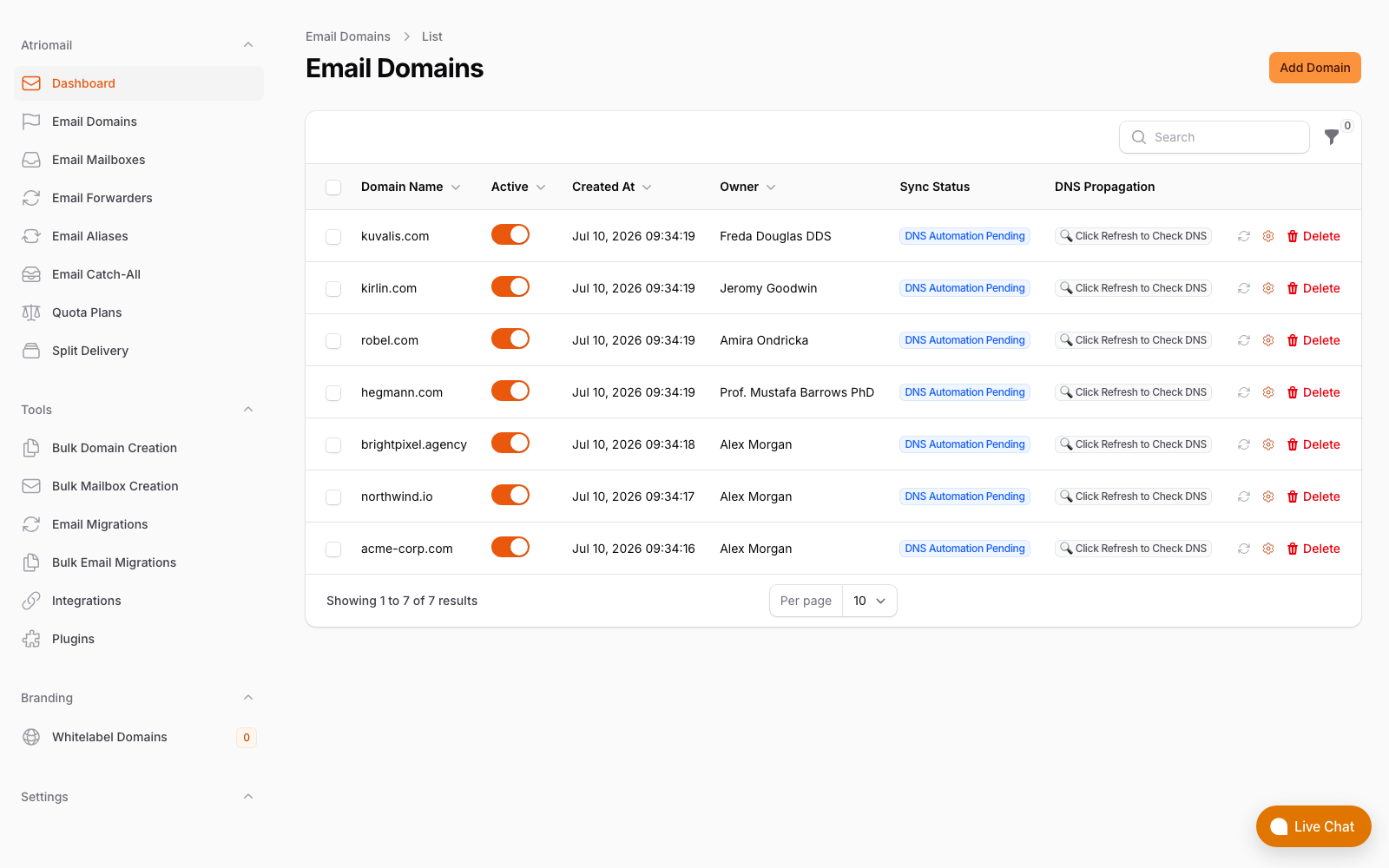
The domains and DNS screen in the Atriomail panel. When MX records point here, inbound mail flows to hosted mailboxes, not to a forwarding layer.
One common mistake when setting up this architecture is leaving Cloudflare Email Routing enabled on the zone while also configuring MX records for a hosted mail server. These two configurations conflict: Cloudflare Email Routing expects to own the MX record on the zone. If a hosted mail server's MX records are added while Email Routing is active, Cloudflare will warn about the conflict and the resolution is to disable Email Routing on that zone. The MSP who knows this in advance handles the setup in a single step rather than troubleshooting it afterward.
DNS Automation When the Client Is on Cloudflare
One of the practical advantages of using a mail platform that integrates with Cloudflare's DNS API is that the MX, SPF, DKIM, and DMARC records needed for the hosted mail server can be published automatically rather than manually. DNS automation for email authentication removes the most common source of deliverability problems at onboarding: a record that was created with a typo, a missing DMARC policy, or an SPF record that doesn't include the new mail server's sending IP.
For the MSP this is not just a convenience. Consider onboarding ten client domains in a week, each on Cloudflare DNS, each needing four DNS record types (MX, SPF, DKIM, DMARC) verified correctly before mail flows. That is forty records across ten zones, hand-entered in the Cloudflare dashboard. A single incorrect priority value or missing semicolon in an SPF record causes mail to bounce or land in spam. The time to diagnose and fix one of those errors, while a client's mail is not working, costs more than the monthly margin on that account. The WHMCS and Blesta modules do not write those records themselves: they show each client the records their domain needs, with their verification status. The writing comes from connecting the Cloudflare account in the Atriomail panel, for domains already in that account, and the Amazon SES records are still copied by hand.
The other DNS automation point relevant to Cloudflare is autodiscover and autoconfig. Outlook and other clients use these service records to locate the mail server without requiring the user to type in server names and port numbers. A mail platform that publishes those records automatically, as part of domain setup, means MSP clients' employees can configure Outlook in a few clicks rather than calling support with server-not-found errors.
The Margin Math
The business case for the MSP here is simple: Cloudflare Email Routing creates zero recurring revenue. The MSP might configure it once for a client, and that configuration earns nothing today and nothing next month. Hosted mailboxes provisioned under the MSP's account and billed on the MSP's invoice earn the spread between wholesale cost and the price the MSP sets for as long as the client stays.
Using Atriomail's published wholesale pricing of $1.39 per mailbox per month and a client billing rate of $5 per mailbox:
| Cloudflare Email Routing (forwarding only) | White-label hosted mailboxes | |
|---|---|---|
| What you pay wholesale | $0 (no mailboxes) | 50 x $1.39 = $69.50/month |
| What you bill the client | $0 (nothing to bill) | 50 x $5.00 = $250/month |
| Your recurring margin | $0/month | $250 - $69.50 = $180.50/month |
| Annualized | $0 | approximately $2,166/year |
The $5/mailbox billing rate in this example leaves the client well below what Google Workspace Business Starter costs at retail ($7/user/month on an annual commitment). The MSP captures margin that a forwarding layer structurally cannot generate, and the client pays less than they would with a major vendor. That framing, rather than a technical explanation of IMAP, is usually what closes the conversation when a client asks about the "free Cloudflare email."
For MSPs who have compared similar decisions across infrastructure options, the cost breakdown mirrors what you see in cPanel's built-in email vs. dedicated hosting: a bundled or free tool that handles a narrow use case looks like cost savings until you price out what it cannot do. Cloudflare Email Routing and cPanel's Exim stack both create zero direct margin for the reseller; the difference is that cPanel at least stores the messages, whereas Cloudflare Routing does not even do that.
If you are working through the broader question of which infrastructure layer to own vs. delegate, the comparison between running your own mail server vs. using a managed white-label host covers the fixed-cost and admin-time side of that decision in detail.
Frequently Asked Questions
More on provisioning, DNS, and billing in the full FAQ.
My client already has Cloudflare Email Routing set up. Do I need to remove it before adding hosted mailboxes?
Yes. Cloudflare Email Routing controls the MX record on the zone. Adding MX records for a hosted mail server while Email Routing is active creates a conflict. Disable Email Routing on the zone first, then add the hosted mail server's MX records. If the client was using forwarding for a few generic addresses (info@, support@), those can be recreated as aliases or forwarders inside the hosted mail platform after the MX records are switched over.
Can a client use Cloudflare Email Routing for some addresses and hosted mailboxes for others?
Not on the same domain simultaneously, for the reason above: Cloudflare Email Routing needs to own the MX record, and a hosted mail server also needs the MX record. Both cannot be active on the same zone at the same time. The practical approach is to host all addresses at the mail server and create any needed forwarding aliases inside the hosted platform instead. Most white-label hosting platforms include catch-all and forwarder configuration at no extra cost.
Does Cloudflare Email Routing affect DKIM and DMARC for hosted mailboxes?
It does not, once Email Routing is disabled on the zone. When you add the hosted mail server's MX, SPF, DKIM, and DMARC records to the Cloudflare DNS zone, those records function the same as they would on any other DNS provider. Cloudflare DNS is simply the zone where the records live; it does not interfere with how other mail servers sign or verify messages. If the hosted mail platform supports Cloudflare's DNS API for automatic record publishing, those records are written directly into the Cloudflare zone without manual entry. The domain management guide covers what each record type does and why all four are needed.
What happens if a client enables Cloudflare Email Routing after I have already set up their mailboxes?
Cloudflare will warn the client that a conflicting MX record exists when they try to enable Email Routing on a zone that already has hosted mail MX records. In practice a technically confident client may override that warning and enable Routing anyway, which rewrites the MX record and routes inbound mail to Cloudflare's infrastructure instead of the hosted mail server. Incoming mail then disappears from the hosted mailboxes. The fix is to disable Email Routing on the zone and confirm the MX records are restored to the hosted server values. Adding a note in your client documentation that Email Routing should not be enabled on domains where hosted mailboxes are already active prevents this scenario before it happens.
Recommended
- What Is White-Label Email? Atriomail
- Mastering DNS Automation: Boost Your Email Deliverability with Atriomail
- Automate Email Billing in WHMCS and Blesta, Atriomail
- Email Domain Management Guide: Streamline Setup and Branding, Atriomail
- cPanel Email vs. White-Label Email Hosting: The Real Cost for Hosting Resellers, Atriomail
- Self-Hosted Email Server vs. White-Label Hosting: What MSPs Get Wrong About the Math, Atriomail
- Pricing and the Reseller Margin Calculator, Atriomail
Latest from the blog
- How to Set Up BIMI So a Client's Logo Shows Up in Gmail and Yahoo · Oct 12, 2026
- DreamHost Email vs Atriomail: What "Unlimited" Doesn't Cover for Resellers · Oct 10, 2026
- A Client's Email Account Was Compromised: Why a Password Reset Alone Doesn't Fix It · Oct 9, 2026
- Aliases, Forwarders and Catch-Alls in Atriomail: The One Rule That Decides When They Work · Oct 8, 2026
- How to Move a Client's DMARC Policy to p=reject Without Breaking Their Mail · Oct 7, 2026