
Offering managed email services under your own brand can feel overwhelming when you need both full control and a seamless client experience. Choosing the right white-label solution involves more than picking a vendor—you need to balance branding, automation, pricing, and ongoing support. Every decision affects how your clients see your business and how efficiently your team can work.
The good news is there are specific steps that help you keep your brand front and center while delivering top-tier reliability. You’ll discover actionable ways to simplify technical challenges, manage growth, and maintain the trust your clients expect. Each strategy ahead is designed to give you better results and less hassle as you scale your managed email offering.
Table of Contents
- 1. Define Brand Control And White-Label Requirements
- 2. Automate DNS Setup And Email Authentication
- 3. Ensure Scalable And Flexible Pricing Models
- 4. Integrate With Client Management Tools Via API
- 5. Simplify User And Domain Management Processes
- 6. Plan For Ongoing Support And Service Reliability
Quick Summary
| Key Message | Explanation |
|---|---|
| 1. Define Brand Control Clearly | Understand customization needs for logos, domains, and support to strengthen client relationships. |
| 2. Automate DNS and Email Setup | Automating processes reduces errors and speeds up email service activation for clients. |
| 3. Implement Flexible Pricing Models | Choose pricing structures that align with client needs and allow for growth without alienating users. |
| 4. Leverage API Integrations | Integrate email with client management tools to improve workflows and reduce manual tasks. |
| 5. Plan for Ongoing Support | Set clear SLAs and support protocols to ensure reliability and foster long-term client trust. |
1. Define Brand Control and White-Label Requirements
Brand control determines how much of the email experience stays under your name versus your vendor’s. White-label requirements define what you need from a solution to deliver a fully branded experience to your clients.
When you offer white-label email solutions, your clients interact exclusively with your brand. They see your logo, your colors, your support portal, and your domain name throughout the entire experience. This transforms email hosting from a commodity into a branded, recurring revenue stream that strengthens client loyalty and retention.
Complete brand control means your clients never see the vendor’s infrastructure or branding, keeping the relationship and trust entirely between you and them.
Defining your brand control needs involves asking critical questions about what your agency or reseller business requires:
- Logo and color customization across client portals, login pages, and email interfaces
- Custom domain management allowing clients to use their own domains without infrastructure headaches
- Support ownership deciding whether you handle first-line support or the vendor does
- Pricing flexibility setting your own commercial models and margin structures
- Client administration panels with multi-tenant access so your team manages multiple client accounts from one dashboard
White-label requirements also include backend capabilities that customers won’t see but directly impact your operational efficiency. Enterprise-grade security features, scalable storage options, role-based mailbox access, and migration support ensure you can serve clients of any size without technical limitations.
Your reseller business needs single-source management where one vendor handles all infrastructure while you maintain complete brand visibility. This reduces operational complexity while maximizing your control over the customer experience. You’re not managing servers or security patches; you’re managing relationships and revenue.
Think about your target market. A small marketing agency has different white-label needs than a large hosting provider serving thousands of users. Some resellers prioritize ease of setup, while others focus on advanced security certifications for enterprise clients. Your specific requirements determine which vendor partnership makes sense.
Pro tip: Document your exact branding requirements before evaluating vendors, including logo placement, color usage, custom domain options, and support workflows—this prevents misalignment and ensures the platform matches your operational vision.
2. Automate DNS Setup and Email Authentication
Manual DNS configuration is where email deliverability goes to die. Automating this process eliminates syntax errors, reduces setup time, and ensures your clients’ emails actually reach inboxes instead of spam folders.
DNS authentication involves three critical protocols that work together to verify your legitimacy. SPF tells receiving servers which mail servers are authorized to send email for your domain. DKIM adds cryptographic signatures to prove messages haven’t been tampered with. DMARC acts as the enforcement layer, telling servers what to do if SPF or DKIM fail.
Without automation, setting up these protocols manually means wrestling with DNS provider interfaces, remembering exact syntax, and hoping you didn’t miss anything. One typo in a DNS record can cause complete email delivery failure. One missing record can leave your domain vulnerable to spoofing attacks.
Automated DNS validation eliminates the most common configuration errors that cause email delivery failures and spam flagging, getting authentication set up correctly in minutes instead of hours.
Here’s why automation matters for your reseller business:
- Clients don’t need deep technical expertise to authenticate their domains
- Setup completes in under a minute instead of requiring support tickets
- Real-time verification confirms records are correct before going live
- Ongoing monitoring catches DNS changes or misconfigurations immediately
- Multi-domain environments become manageable instead of overwhelming
When you offer automated DNS validation through your white-label solution, your clients experience a dramatic reduction in setup friction. They see guided workflows that auto-detect their DNS provider, one-click configuration options, and instant confirmation that everything works.
Your support team also benefits dramatically. Instead of fielding calls about DNS syntax errors or troubleshooting why emails are bouncing, you handle onboarding smoothly. This frees up your team to focus on higher-value activities like account management and strategic consulting.
Think about the client experience from their perspective. They want email working today, not next week after multiple support exchanges. Automation delivers that speed while protecting against configuration mistakes that damage reputation.
Pro tip: Choose a managed email solution that auto-detects your client’s DNS provider and automatically validates all SPF, DKIM, and DMARC records before activation, eliminating manual verification steps and support escalations.
3. Ensure Scalable and Flexible Pricing Models
Your pricing model directly impacts your profit margins, client satisfaction, and ability to grow. The wrong pricing structure locks you into unprofitable deals or alienates potential clients who need flexibility.
Scalable pricing means your revenue grows as your clients’ needs grow. When a startup customer expands from 10 mailboxes to 100, your pricing should grow with them. This creates predictable recurring revenue while keeping clients happy because costs align with their actual usage.
Flexible pricing accommodates different client profiles. Some customers want simple, flat-rate plans. Others need granular control with per-user or usage-based pricing. Small businesses operate differently than enterprises, and your pricing should reflect that reality.
Pricing models that scale with user counts and service levels let clients choose plans fitting their current needs while enabling easy upgrades as requirements evolve.
Common pricing approaches for resellers include:
- Per-user pricing charges based on mailbox count, making costs transparent and predictable for clients
- Tiered plans offer bronze, silver, and gold options with increasing features and storage
- Usage-based pricing scales with actual consumption, rewarding lean operators while supporting growth
- Flat-rate pricing provides simplicity for clients who want one predictable monthly bill
- A la carte add-ons let clients customize features without forcing unnecessary purchases
When you select a vendor offering usage-based email pricing models, you gain flexibility to create your own pricing tiers without being locked into their structure. You can mark up the base cost and design plans that match your market positioning.
Consider your client base. Are you serving startups that grow rapidly but need low entry costs? Use usage-based pricing so they pay nothing until they’re ready to scale. Serving established enterprises that want predictability? Offer tiered plans with fixed monthly fees.
Transparent billing practices build long-term relationships. Clients appreciate knowing exactly what they’ll pay before the month ends. Hidden fees and surprise overages destroy trust and drive clients to competitors.
Your reseller margins improve when you offer flexible pricing options that attract diverse customer types. You’re not limiting yourself to one market segment. You’re capturing small accounts and growing them, while also landing larger deals that need enterprise features.
Pro tip: Select a managed email platform with usage-based pricing so you can adjust your markup and create tiered plans that match your target market’s budget constraints while maximizing your margin as clients scale.
4. Integrate with Client Management Tools via API
Your email solution lives in isolation if it cannot talk to the other tools your clients use daily. API integration transforms email from a standalone service into a connected system that powers your entire operation.
Think about your clients’ workflows. They use CRM systems to track customer interactions, billing platforms to manage invoices, and helpdesk software to handle support tickets. When email sits separately from these tools, information gets duplicated, workflows break down, and your team wastes time manually syncing data.
An API connection enables real-time communication between your email system and client management platforms. When a customer support ticket is created, the system can automatically send acknowledgment emails. When a sales opportunity closes, the CRM can trigger follow-up emails. Information flows seamlessly without manual intervention.
Integrating email APIs with CRM systems automates communication workflows, reduces manual errors, and personalizes customer interactions based on real-time data from management tools.
Here’s what API integration enables for your reseller business:
- Automated email triggers based on customer actions in CRM or business platforms
- Real-time inbox synchronization so email status updates reflect across all connected tools
- Secure authentication using OAuth standards that protect client credentials without exposing passwords
- Custom workflows tailored to each client’s unique business processes
- Reduced manual work eliminating data entry and sync errors between systems
When evaluating managed email solutions, look for API capabilities that support seamless integrations with popular CRM, billing, and helpdesk platforms. The best APIs provide clear documentation, webhook support for event-based triggers, and easy authentication setup.
Consider a practical example. A digital marketing agency uses your white-label email solution for client mailboxes. They also use their CRM to manage campaigns. With API integration, when a new prospect is added to the CRM, the system can automatically create a mailbox and send a welcome email. No manual work. No delays. No forgotten steps.
Your support team benefits too. Clients can manage email within their existing systems instead of jumping between multiple platforms. This reduces support requests and improves client satisfaction. You become the enabler of their operational efficiency, not an add-on they tolerate.
Pro tip: Ensure your managed email provider offers REST API and webhook support so you can build custom integrations with your clients’ existing CRM, billing, and business management platforms.
5. Simplify User and Domain Management Processes
Managing users and domains manually is a time sink that scales poorly. As your client base grows, administrative overhead explodes unless you have tools that automate these processes.
Simplification starts with a unified administration panel where you handle all user accounts and domains from one place. Instead of logging into separate systems for each client, you manage everything centrally. This reduces errors, saves time, and gives you complete visibility.
User management requires the ability to create accounts, assign permissions, and revoke access efficiently. Role-based access controls let you grant different team members different capabilities. A support person might manage passwords while a domain administrator handles DNS records. Everyone has exactly the permissions they need, nothing more.
Domain management involves maintaining multiple domains across your client base, each with its own configuration. Centralizing this work means you’re not juggling spreadsheets or checking multiple interfaces. When managing email domains for streamlined branding, a unified platform lets you see all domains at a glance and make bulk updates across multiple accounts.
Centralized control and unified administration panels reduce duplicated efforts and improve coordination while supporting seamless onboarding and large-scale user administration.
Key capabilities that simplify these processes include:
- Bulk operations allowing you to add users or update domains in batches instead of one at a time
- Automated workflows that provision mailboxes when clients are added without manual intervention
- Delegated administration letting clients manage their own users within boundaries you set
- Audit logs showing who did what and when for compliance and troubleshooting
- Multi-tenant support that keeps each client’s data isolated while you manage everything together
Consider the operational impact. A reseller managing 50 clients with 10 users each faces 500 user accounts. Manual administration would be chaos. Automated provisioning and bulk management make this scalable.
Your support team also benefits. Clients can handle routine account management through self-service portals. Your team focuses on strategic issues rather than password resets and mailbox creation. This improves client satisfaction while reducing your operational costs.
Without simplified management processes, you hit a ceiling. Beyond a certain point, growth becomes painful because administrative overhead overwhelms your team. The right platform lets you scale without proportional increases in support costs.
Pro tip: Choose a managed email solution offering multi-tenant administration panels with role-based access controls and bulk operations so you can manage hundreds of client accounts and domains without overwhelming your support team.
6. Plan for Ongoing Support and Service Reliability
Launching a managed email solution is just the beginning. What happens after day one determines whether your clients stay happy or jump to competitors. Support and reliability planning separates successful resellers from those struggling with churn.
Reliability means your email infrastructure stays online and performs consistently. Your clients depend on email for business operations. When it fails, their business fails. This isn’t optional or negotiable. You need service level agreements that define uptime guarantees, response times, and what happens if you miss them.
Support planning involves deciding who handles issues and how quickly. Proactive monitoring catches problems before clients notice them. Preventive maintenance applies security patches and system updates without disrupting service. When issues do occur, escalation protocols ensure critical problems get immediate attention.
Effective support systems include proactive monitoring, preventive maintenance, helpdesk support, and escalation protocols fostering long-term reliability and customer satisfaction.
Your support structure should include:
- Tier 1 helpdesk handling password resets, account setup, and basic troubleshooting
- Tier 2 technical support investigating complex issues and managing escalations
- Proactive monitoring watching system health 24/7 to catch problems early
- Security updates applied regularly without impacting client operations
- Disaster recovery protocols ensuring data survives failures
Consider your vendor partnership here. When you establish a managed services plan, you’re defining uptime commitments and response times for your entire client base. If your vendor guarantees 99.9% uptime but you promise 99.95% to clients, you’ve created a problem.
Your clients expect support when they need it. That means defining business hours and escalation paths clearly. Some agencies offer 24/7 support, others work 9 to 5. Either way, set expectations clearly so clients aren’t frustrated waiting for help.
Document your support processes. Create runbooks for common issues so your team responds consistently. Track metrics like average response time and resolution time so you know where improvements are needed.
The vendor you choose directly impacts your ability to deliver reliable support. Look for partners offering robust SLAs, proactive monitoring tools, and responsive escalation channels. Your reputation depends on their infrastructure reliability.
Pro tip: Establish clear service level agreements defining uptime guarantees, response times, and support availability before you launch, then instrument monitoring to prove you’re meeting those commitments consistently.
Below is a comprehensive table summarizing the core concepts and strategies outlined in the article regarding white-label email solutions.
| Aspect | Description | Key Benefits |
|---|---|---|
| Brand Control and Customization | Ensuring vendor branding is hidden, incorporating the business’s logo, colors, domain, and unique identity remains prominent. | Enhanced client loyalty and promotion of a seamless branded experience. |
| Automated DNS and Authentication | Automating the DNS setup for email authentication protocols like SPF, DKIM, and DMARC to eliminate manual errors. | Improved email deliverability and reduced administrative overhead. |
| Flexible Pricing Structures | Implementing scalable and adaptable pricing models to address diverse client needs, from startups to large enterprises. | Enhanced market competitiveness, transparency, and potential for increased revenue. |
| Integration with Management Tools | Leveraging APIs for seamless integration with CRM, billing, and support platforms. | Improved workflow efficiency and reduced redundancy. |
| Efficient User and Domain Management | Employing unified administration panels with automation, bulk operations, and role-based access. | Reduced operational complexity and scalable client onboarding processes. |
| Plan for Reliability and Support | Establishing robust service-level agreements, proactive monitoring, and support structures to ensure consistent service operation. | Increased client satisfaction and retention due to reliable and professional service. |
Take Control of Your Managed Email Solution with AtrioMail
The “6 Essentials for a Managed Email Solutions Checklist” highlights critical challenges like maintaining full brand control, automating DNS authentication, implementing scalable pricing, and simplifying domain management. If you want to overcome these pain points while delivering a seamless white-label experience for your clients, AtrioMail is designed for you. With features such as fully managed infrastructure, automated validation for SPF, DKIM, DMARC, flexible usage-based pricing, and powerful API integration, you gain the tools to build your own independent branded email platform without the technical headaches.
Gain freedom from major ecosystems and boost your profit margins by partnering with a platform built around reseller needs. AtrioMail empowers IT agencies, hosting providers, and resellers to stay in complete control of customer relationships and deliver reliable, scalable email services that grow alongside your clients’ demands. Discover how simplified user and domain management alongside enterprise-grade reliability can elevate your offering.
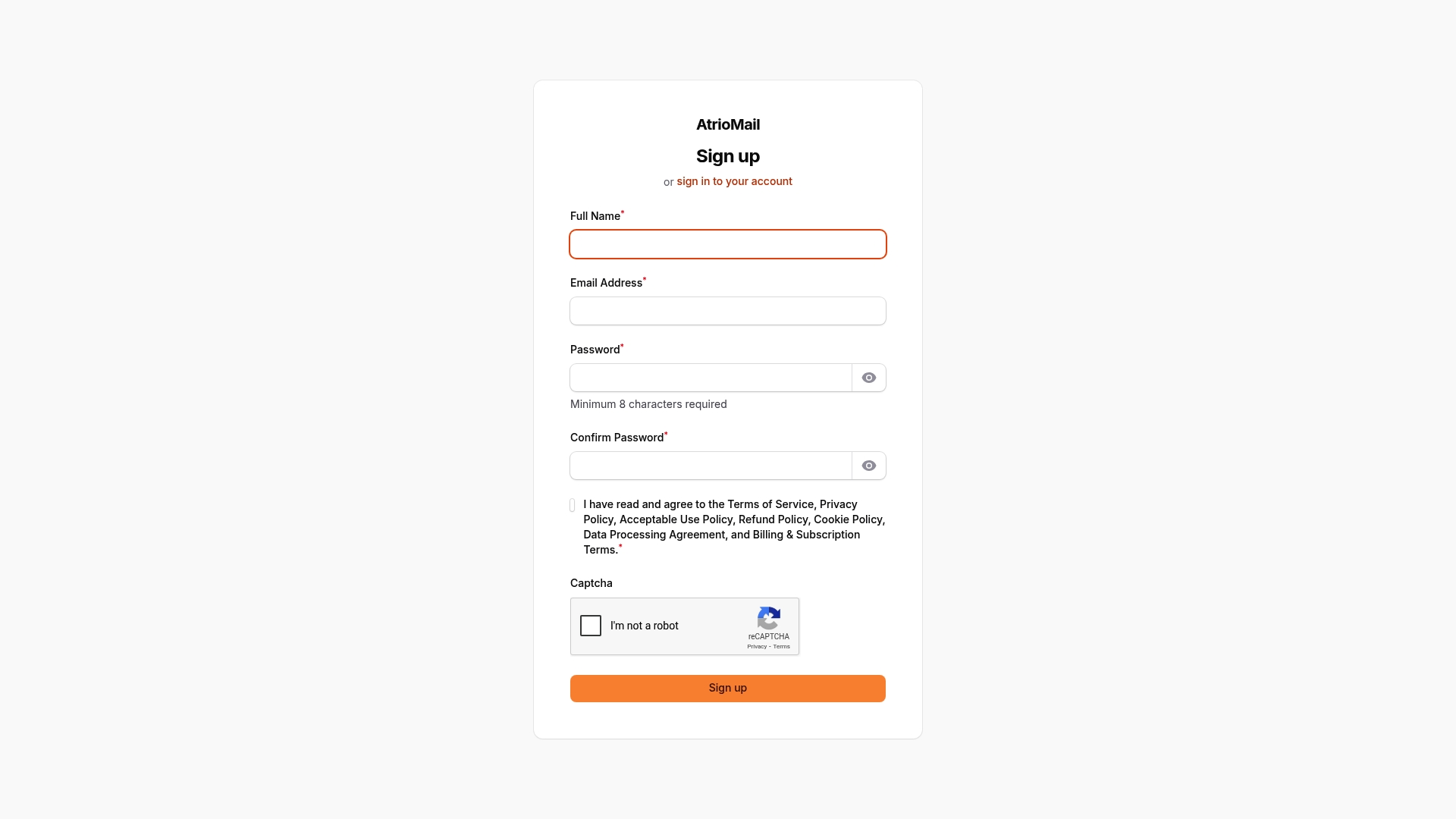
Ready to check every box on your managed email checklist and start scaling your white-label email business? Register now to unlock brand control, automation, and scalable pricing with AtrioMail. Get started today at AtrioMail Registration and transform how you deliver email to your clients.
Explore how automated DNS validation makes onboarding effortless in our detailed resource Why Automated DNS Validation Is a Game Changer for Email Service Providers or learn about flexible pricing models in Usage-Based Email Pricing Explained.
Frequently Asked Questions
What are the key components to consider for brand control in managed email solutions?
Complete brand control includes logo and color customization, custom domain management, and support ownership. Define these needs before selecting a vendor to ensure a fully branded experience for your clients.
How can I automate the DNS setup and email authentication process for my clients?
Automate the DNS setup by using a solution that provides easy configuration options for SPF, DKIM, and DMARC protocols. This can significantly reduce setup times, ensuring your clients’ emails reach their inboxes without delays or errors.
What pricing models should I consider for managing email solutions?
Opt for scalable and flexible pricing models such as per-user, tiered plans, or usage-based pricing. This allows your revenue to grow alongside your clients while accommodating different needs and budgets.
How do API integrations enhance the functionality of managed email solutions?
API integrations connect your email solution with potential CRM, billing, and helpdesk tools your clients use. Implementing these integrations can streamline workflows and reduce manual tasks, improving efficiency for both you and your clients.
What can I do to simplify user and domain management in a managed email solution?
Centralize user and domain management through a unified administration panel. This approach reduces administrative overhead and enhances coordination, allowing for bulk operations and easier user provisioning.
What steps should I take to ensure ongoing support and reliability for my managed email solution?
Establish clear service level agreements that define uptime guarantees and response times. Regularly monitor service performance to meet these commitments and maintain high client satisfaction.