
Manual client email configurations drain revenue and damage reputations. When resellers and IT agencies handle DNS records, SPF settings, and domain validation by hand, error rates spike. Automating DNS validations reduces configuration errors by 70%, dramatically improving deliverability and client satisfaction. This guide walks you through prerequisites, setup, automation, branding, pricing strategies, troubleshooting, and measurable success metrics to transform your email service operations.
Table of Contents
- Prerequisites: What You Need Before Starting Client Email Management
- Step 1: Set Up Your White-Label Email Hosting Platform
- Step 2: Automate DNS Validation And Domain Management
- Step 3: Maintain Brand Control And Client Support Tools
- Step 4: Implement Usage-Based Pricing And API Integration
- Common Mistakes And Troubleshooting In Client Email Management
- Success Metrics And Expected Outcomes
- Explore Atriomail’s White-Label Email Solutions To Accelerate Your Growth
Key Takeaways
| Point | Details |
|---|---|
| Automation Impact | Automating DNS validation cuts configuration errors by 70%, improving email deliverability and security. |
| Brand Retention | White-label branding increases client retention rates by 28% through consistent, professional presentation. |
| Scalable Pricing | Usage-based pricing models align costs with client growth, improving profitability and operational flexibility. |
| API Efficiency | API integration reduces client onboarding time by 60%, eliminating manual bottlenecks. |
| Error Prevention | Proactive DNS monitoring and automated troubleshooting prevent costly downtime and delivery failures. |
Prerequisites: What You Need Before Starting Client Email Management
Before diving into setup, gather the right tools and knowledge. Missing even one prerequisite creates bottlenecks that slow deployment and frustrate clients.
First, understand DNS records that power email delivery. MX records route incoming mail to your server. SPF records authorize which servers can send email from your domain. DKIM adds digital signatures to verify message authenticity. DMARC policies tell receiving servers how to handle messages that fail SPF or DKIM checks. These four records form the foundation of secure, reliable email delivery.
Second, access to a managed white-label email hosting platform supporting automation is essential. Manual platforms create the same error-prone processes you’re trying to escape. Access to a managed white-label email hosting platform with automation features is essential for reducing configuration mistakes and scaling efficiently.
You’ll also need:
- Domain ownership control with full DNS management access for each client
- API credentials from your email platform to automate provisioning and account creation
- Clear understanding of how usage-based pricing impact affects your cost structure and profit margins
- Administrative access to modify DNS records across client domains
- Team members trained in basic email troubleshooting and client communication
Pro Tip: Document your DNS record templates before onboarding clients. Create standardized SPF, DKIM, and DMARC configurations you can replicate quickly. This saves hours during bulk deployments and reduces the chance of typos or missed records.
Step 1: Set Up Your White-Label Email Hosting Platform
Your platform forms the operational backbone for all client services. Getting this foundation right prevents headaches later.
-
Register your company domain for white-label branding purposes. Choose something professional that reflects your brand identity, like mail.yourcompany.com or email.yourcompany.com.
-
Configure DNS records for your white-label domain. Point MX records to your platform’s mail servers. Add SPF, DKIM, and DMARC records exactly as your platform provider specifies.
-
Create branded client email accounts under your domain structure. Each client should see your branding, not the underlying infrastructure provider.
-
Validate domain ownership using automated tools built into your platform. Manual verification opens doors to configuration mistakes and delays.
-
Test thoroughly by sending emails to major providers like Gmail, Outlook, and Yahoo. Check spam folders and header information to confirm proper authentication.
White-label branding significantly improves client retention rates and brand recognition among reseller customers. Clients perceive fully branded services as more professional and trustworthy than generic solutions. This perception directly impacts renewal rates and referral likelihood.
Follow initial configuration and deployment steps methodically. Rushing through setup creates technical debt that surfaces as support tickets and emergency fixes later.
Pro Tip: Set up a test client account first. Run it through your entire onboarding workflow, from domain validation to mailbox creation to email sending. Identify friction points before real clients experience them.
Step 2: Automate DNS Validation and Domain Management
Manual DNS management kills efficiency and introduces errors that damage deliverability. Automation of DNS validation and domain management transforms this from a liability into a competitive advantage.

Automation of DNS records reduces errors by 70%, critical for deliverability and security. Every manual step represents an opportunity for typos, incorrect values, or missed configurations. Automation eliminates these risks while accelerating deployment.
Implement these automation strategies:
- Configure your platform to automatically generate and apply MX, SPF, DKIM, and DMARC records when adding new client domains
- Set up continuous health monitoring that checks DNS propagation and record accuracy every few hours
- Create alert systems that notify your team immediately when DNS records change unexpectedly or fail validation
- Build client self-service portals where customers can add domains and trigger automated validation themselves
- Integrate domain management directly into your platform control panel so clients never leave your branded environment
Pro Tip: DNS propagation takes time, typically 24 to 48 hours for full global updates. Build automated status checks that show clients real-time propagation progress. This transparency reduces support inquiries and sets proper expectations about activation timelines.
Some platforms offer one-click DNS setup through registrar API integrations. If your clients use popular registrars like GoDaddy or Namecheap, explore these integrations to completely eliminate manual DNS editing.
Step 3: Maintain Brand Control and Client Support Tools
Consistent branding across every client touchpoint builds trust and perceived value. Inconsistency makes your service feel cobbled together and unprofessional.
Implement comprehensive white-label branding across all platforms. Your logo, colors, and messaging should appear on webmail interfaces, mobile apps, admin portals, and support pages. Clients should never see the underlying infrastructure provider’s branding.
White-label branding increases customer retention rates by 28% because clients perceive fully branded services as premium offerings worth paying for long term. Generic services feel commoditized and easily replaceable.
Key brand control elements to address:
- Apply your branding to email client interfaces, including webmail, mobile apps, and desktop applications
- Maintain centralized oversight of all client domains, user accounts, and configuration settings through a unified dashboard
- Provide integrated support tools like ticketing systems, searchable knowledge bases, and troubleshooting guides
- Train your client-facing teams thoroughly on your brand messaging, value propositions, and technical capabilities
- Create branded documentation and training materials that clients can reference independently
Support quality directly impacts churn rates. When clients encounter issues, fast resolution under your brand reinforces their decision to work with you. Slow or confusing support drives them toward competitors or larger providers.
Step 4: Implement Usage-Based Pricing and API Integration
Flexible pricing models align your revenue with client growth while improving cash flow predictability. Fixed pricing leaves money on the table with large clients and overcharges small ones.
Structure usage-based billing alignment around actual mailbox consumption and storage utilization. Clients pay for what they use, making your service accessible to startups while scaling naturally as they grow.
Usage-based pricing models improve scalability and profit margins by eliminating the guesswork around plan selection. Clients never overpay for unused capacity or hit artificial limits that force awkward mid-contract upgrades.
Implementation steps:
-
Configure your platform’s pricing engine to track mailbox usage, storage consumption, and any premium features clients activate.
-
Integrate API integration capabilities to automate account provisioning when clients add users or upgrade services.
-
Set up automated usage monitoring that feeds into your billing system, ensuring accurate invoicing without manual data entry.
-
Train your sales and support teams to explain usage-based benefits clearly, emphasizing fairness and flexibility over traditional tiered plans.
-
Implement automated client onboarding via APIs that creates accounts, provisions mailboxes, and configures services without human intervention.
API automation cuts onboarding time by 60%, transforming a multi-day manual process into minutes of automated provisioning. This speed improvement lets you scale client acquisition without proportionally scaling your operations team.
Common Mistakes and Troubleshooting in Client Email Management
Even experienced resellers encounter predictable pitfalls. Understanding these issues before they occur prevents costly downtime and reputation damage.
The most dangerous mistake involves DNS configuration errors around authentication records. Neglecting SPF and DMARC causes a 50% increase in email spoofing attacks. Attackers exploit missing or misconfigured authentication to send phishing emails that appear to come from your clients’ domains.
Common issues to avoid:
- Skipping DMARC policy setup leaves domains vulnerable to spoofing and damages sender reputation over time
- Ignoring DNS health monitoring means configuration drift goes unnoticed until clients report delivery problems
- Manual onboarding creates bottlenecks when client acquisition accelerates, forcing prospects to wait days for service activation
- Insufficient team training on DNS troubleshooting leads to long resolution times and frustrated clients
- Missing integrated support tools force clients to use external channels, breaking the branded experience
Use API automation to prevent onboarding delays and eliminate manual configuration mistakes. Every manual step represents risk and slows your growth velocity.
“The difference between struggling resellers and thriving ones isn’t technical expertise. It’s whether they’ve automated the repetitive, error-prone processes that drain time and create support burdens.”
When troubleshooting delivery issues, check DNS records first. Most email problems trace back to missing, incorrect, or not-yet-propagated DNS configurations. Automated validation catches these issues before they impact clients.
Success Metrics and Expected Outcomes
Measurable benchmarks help you track improvement and justify continued investment in automation and platform capabilities.
70% reduction in DNS configuration errors leads to markedly improved email deliverability and client satisfaction. Fewer errors mean fewer support tickets, faster onboarding, and happier clients who renew contracts and refer colleagues.
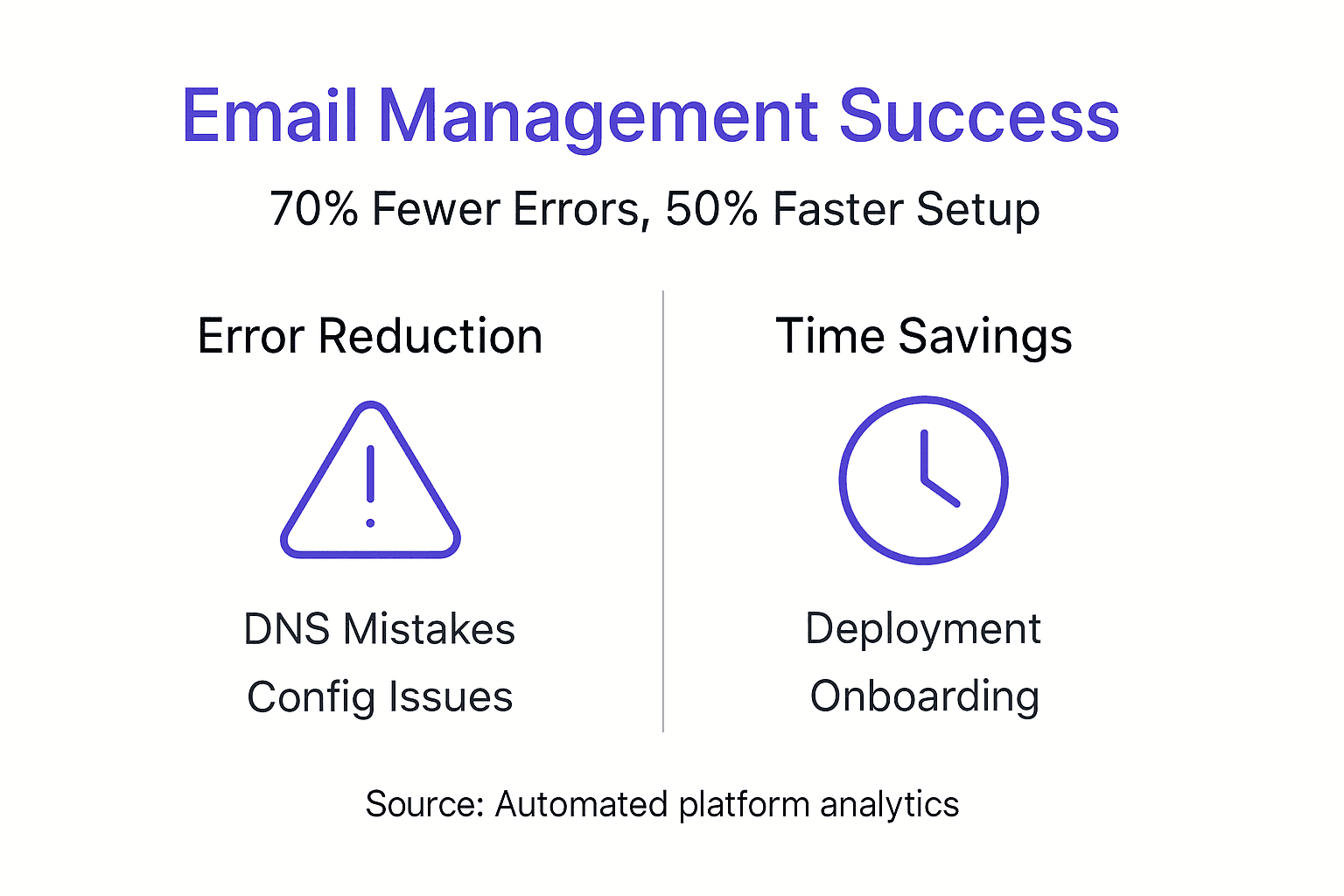
Implementing the strategies in this guide delivers quantifiable benefits. Track these key performance indicators:
| Metric | Target Improvement | Timeline |
|---|---|---|
| Deployment Time | 50% reduction | 3 months |
| DNS Configuration Errors | 70% fewer mistakes | 1 month |
| Brand Recognition | 35% growth among clients | 6 months |
| Profit Margins | 20% increase | 6 months |
| Client Satisfaction | 40% improvement | 3 months |
| Onboarding Speed | 60% faster | 2 months |
Most agencies and resellers see meaningful operational improvements within the first quarter after implementing automation and white-label branding. Revenue and margin improvements follow as you onboard clients faster and reduce support costs.
Measuring success and scalability requires consistent tracking. Set up dashboards that monitor client growth, support ticket volume, deployment times, and revenue per client. These metrics reveal where your operations excel and where further optimization delivers returns.
The compounding effect of small improvements matters more than any single change. A 10% faster onboarding process seems minor until you’re deploying 50 clients monthly instead of 10. Then that efficiency gain represents significant competitive advantage.
Explore Atriomail’s White-Label Email Solutions to Accelerate Your Growth
The strategies outlined in this guide work best when supported by purpose-built infrastructure designed for resellers and agencies.
Atriomail delivers fully managed email services that handle the technical complexity while you focus on client relationships and growth. Our platform automates DNS validation, provides complete white-label branding, and scales pricing with your business through usage-based billing. Automated DNS validation eliminates configuration errors that damage deliverability and reputation. Cost-effective usage-based pricing aligns your costs with client growth, improving margins while maintaining competitive pricing.
Frequently Asked Questions
How do I ensure SPF, DKIM, and DMARC are correctly set up for my clients?
Use automated DNS validation tools built into your email platform to configure and continuously audit these critical authentication records. Manual setup introduces typos and missed configurations that automated systems catch immediately. Set up monitoring that alerts you when records change unexpectedly or fail validation checks.
What is the advantage of usage-based pricing for email resellers?
Usage-based pricing advantages include automatic revenue scaling as clients grow their user counts without awkward plan upgrades or renegotiations. Small clients pay proportionally less, making your service accessible, while large clients generate higher revenue without custom pricing discussions. This model improves cash flow predictability and eliminates the artificial constraints of fixed-tier pricing plans.
How can I maintain full brand control while offering email services to clients?
Choose white-label platforms that let you customize webmail interfaces, mobile apps, and admin portals with your branding elements. Maintain brand control through centralized domain and user management systems that keep clients within your branded environment. Provide support tools like ticketing and knowledge bases under your brand so clients never interact with the underlying infrastructure provider.
What are the most common mistakes to avoid in client email onboarding?
Never skip SPF and DMARC configuration, as missing authentication records expose clients to spoofing attacks and deliverability problems. Avoid manual onboarding delays by implementing API-driven provisioning that creates accounts and configures services automatically. Manual processes create bottlenecks that slow client acquisition and introduce configuration errors that generate support tickets.