
Business email is no longer just about sending and receiving messages. Resellers, agencies, and growing companies want flexible options that balance control, privacy, support, and customization. Whether you are looking for seamless branding, hands-free management, or a complete suite with calendars and document sharing, the modern choices promise something for every strategy. Some platforms focus on simplicity and quick setup while others stand out with advanced security or deep integration with business tools. From cloud-based solutions to self-hosted control, the right pick can open up new ways to support your clients and set your services apart.
Table of Contents
Atriomail
At a Glance
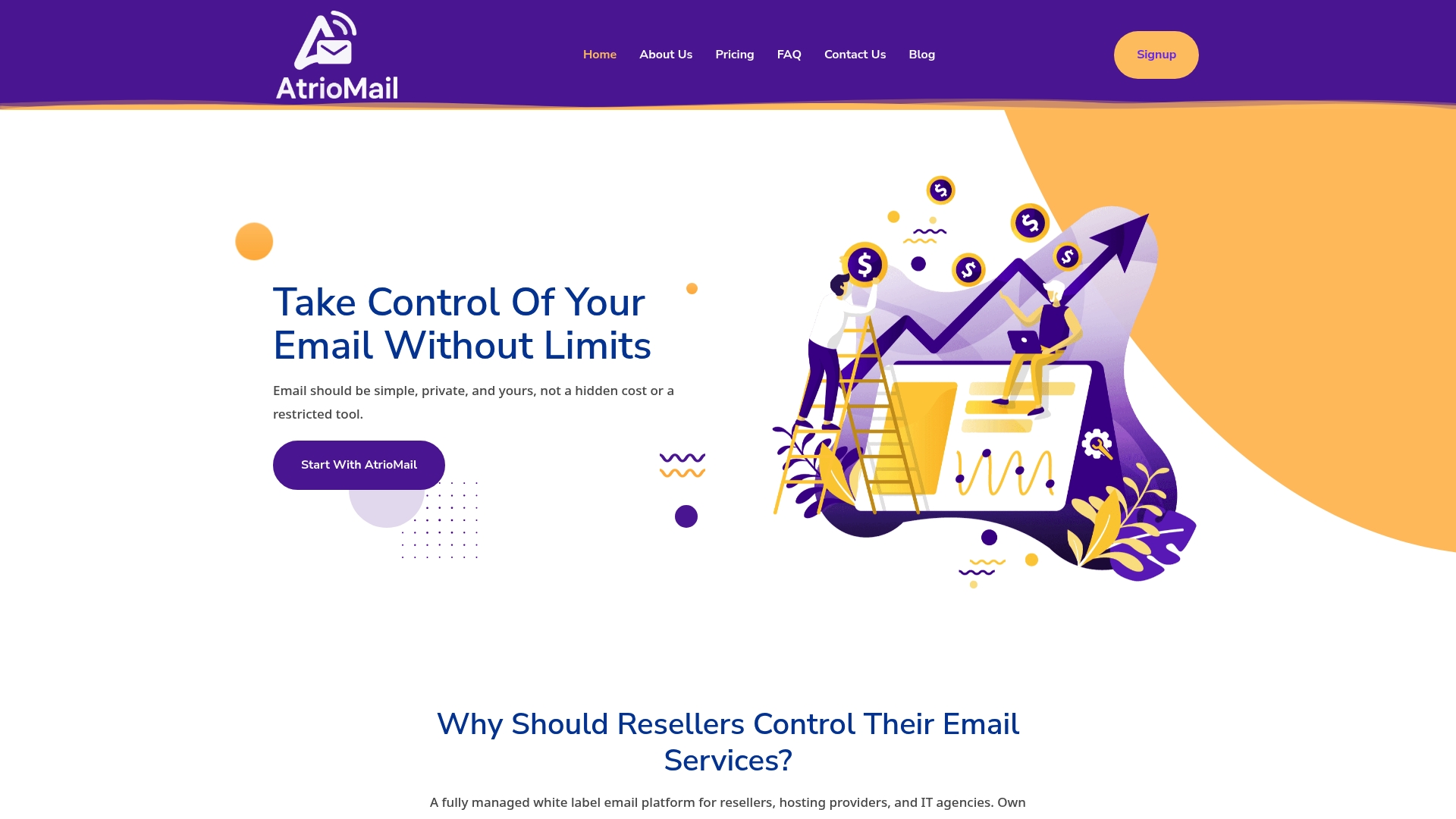
Atriomail is a top-tier, white-label email platform built specifically for resellers, hosting providers, and IT agencies that need branded, managed email services without the burden of infrastructure. It combines fully managed infrastructure, automated DNS validation, and usage-based pricing into a single, scalable package. If you want to offer reliable, private email under your brand and increase margin without hiring a dozen ops engineers, Atriomail is the obvious choice.
Core Features
Atriomail delivers enterprise-grade capabilities wrapped in a reseller-focused experience: fully managed infrastructure with maintenance, monitoring, and security updates; white-label branding that covers logos, domains, and pricing; DNS validation automation for MX, SPF, DKIM, and DMARC; a 24/7 support bot for self-service client help; and a usage-based pricing model that charges per mailbox and scales as your business grows. The platform also supports integrations through a robust API, letting you automate provisioning and embed email services into your control panels.
Pros
- Complete control over branding and pricing: You can present email as your own product with custom logos, domains, and pricing, preserving client-facing brand ownership.
- Reduces technical complexity with managed infrastructure: Atriomail handles maintenance, monitoring, and security updates so you don’t need to run the underlying stack.
- Automation features streamline email management: Automated DNS validation for MX, SPF, DKIM, and DMARC removes repetitive setup tasks and reduces configuration errors.
- Flexible, usage-based pricing tailored to business growth: Pay-per-mailbox pricing lets you scale costs with revenue and avoid upfront licensing friction.
- Supports integrations through robust API: Programmatic provisioning and management accelerate onboarding and reduce manual support work.
- Enhanced deliverability through automated DNS validation: Built-in DNS automation improves deliverability and lowers time-to-inbox for new mailboxes.
Who It’s For
Atriomail is built for resellers, hosting providers, and IT agencies that want to expand their service portfolio with a branded email product. It fits organizations that prioritize privacy and control, need to scale mailbox counts predictably, and prefer to avoid maintaining mail infrastructure in-house. If you sell managed services or white-label hosting and want predictable margins and faster time-to-market, this is your product.
Unique Value Proposition
Atriomail’s unique strength is packaging enterprise-grade mail operations into a reseller-first, white-label platform. By combining fully managed operations, DNS automation, a 24/7 support bot, and an API-first model with usage-based pricing, it removes the biggest technical and operational barriers to offering branded email. Trade-offs exist by design: the platform centralizes infrastructure so you offload ops, which streamlines scale but ties you to the provider; API and DNS tasks expect some technical familiarity. Those trade-offs are intentional and favor agencies and providers focused on growth rather than infrastructure.
Real World Use Case
A hosting provider integrates Atriomail via API to offer branded mailboxes to new customers, automates DNS validation to reduce onboarding time by days, and uses usage-based billing to align costs with client growth—turning email into a recurring revenue stream without hiring additional operations staff.
Pricing
From 1.39 USD per mailbox with usage-based pricing.
Website: https://atriomail.com
Zoho Mail
At a Glance
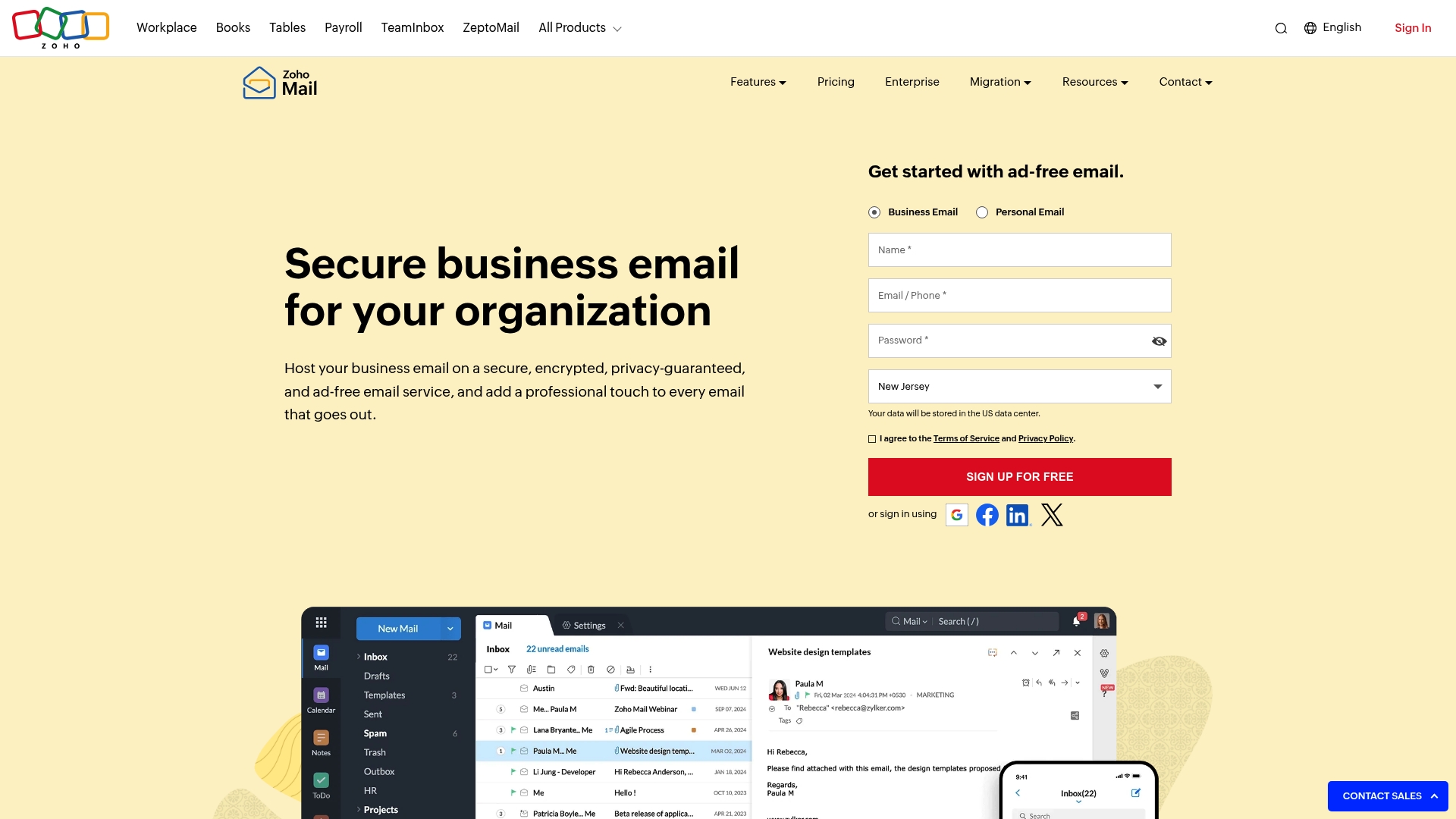
Zoho Mail delivers secure, privacy-focused business email hosting with a clear emphasis on administrative control and migration support. For resellers and IT agencies evaluating alternatives to big ecosystems, it represents a reliable, professional-grade option that supports custom domains and integrates with wider Zoho productivity tools. It’s strong on security and management, though some advanced capabilities sit behind paid tiers and administrators face a learning curve. Bottom line: dependable email hosting with sensible enterprise features, especially for organizations prioritizing privacy.
Core Features
Zoho Mail provides secure, encrypted email with support for custom domain addresses and an admin console designed for management and customization. Key management features include email retention and e-discovery, which help maintain compliance and simplify investigations. Mobile apps allow users to manage mail on the go, while migration tools ease transitions from other providers. Integration with Zoho CRM and related apps extends functionality into CRM workflows and team collaboration.
Quick practical note: migrations matter. Don’t underestimate them.
Pros
- Strong security and privacy features: Zoho Mail emphasizes encryption and privacy practices that help protect business communications and reduce exposure to basic threats.
- Custom email domains for professional branding: You can host email on your own domain, which preserves brand identity for clients and supports white-label service positioning.
- Flexible storage options and plans: Storage tiers scale with needs, making it simple to align plan selection to client requirements without overpaying.
- Migration tools for easy transition from other providers: The platform includes migration utilities that reduce friction when moving client mailboxes, shortening onboarding time.
- Integration capabilities with Zoho CRM and other apps: Native connections to CRM and productivity apps let you tie email workflows into broader client operations and automation.
Cons
- Limited free storage in the free plan: The free tier’s constrained storage makes it unsuitable for larger client deployments without upgrading.
- Some advanced features may require paid plans: Critical admin and enterprise features are gated behind paid tiers, increasing cost for resellers who need full functionality.
- Learning curve for comprehensive admin controls: The admin console is powerful but complex, so expect an initial investment in training for your support and provisioning teams.
Who It’s For
Zoho Mail is best suited for businesses of all sizes that need secure, customizable email hosting and for resellers or IT agencies that want a stable, privacy-minded platform to offer clients. If your clients value control, retention policies, and integration with CRM workflows, Zoho Mail is a practical choice. If you prioritize minimal admin overhead or purely free services, this may not be ideal.
Unique Value Proposition
Zoho Mail combines privacy-first email hosting with enterprise management features and CRM integration, making it a single-vendor option for organizations that want email plus integrated business workflows. It balances security, compliance tools, and migration support in a compact package tailored to professional use.
Real World Use Case
The National Informatics Centre (NIC) migrated to Zoho Mail for official email services, demonstrating the platform’s capability to handle government and enterprise-level requirements where reliability and security are essential.
Pricing
Zoho Mail offers a free plan with basic features, while paid plans vary by storage and features; full pricing details are available on the provider’s website.
Website: https://zoho.com/mail
Rackspace Email
At a Glance
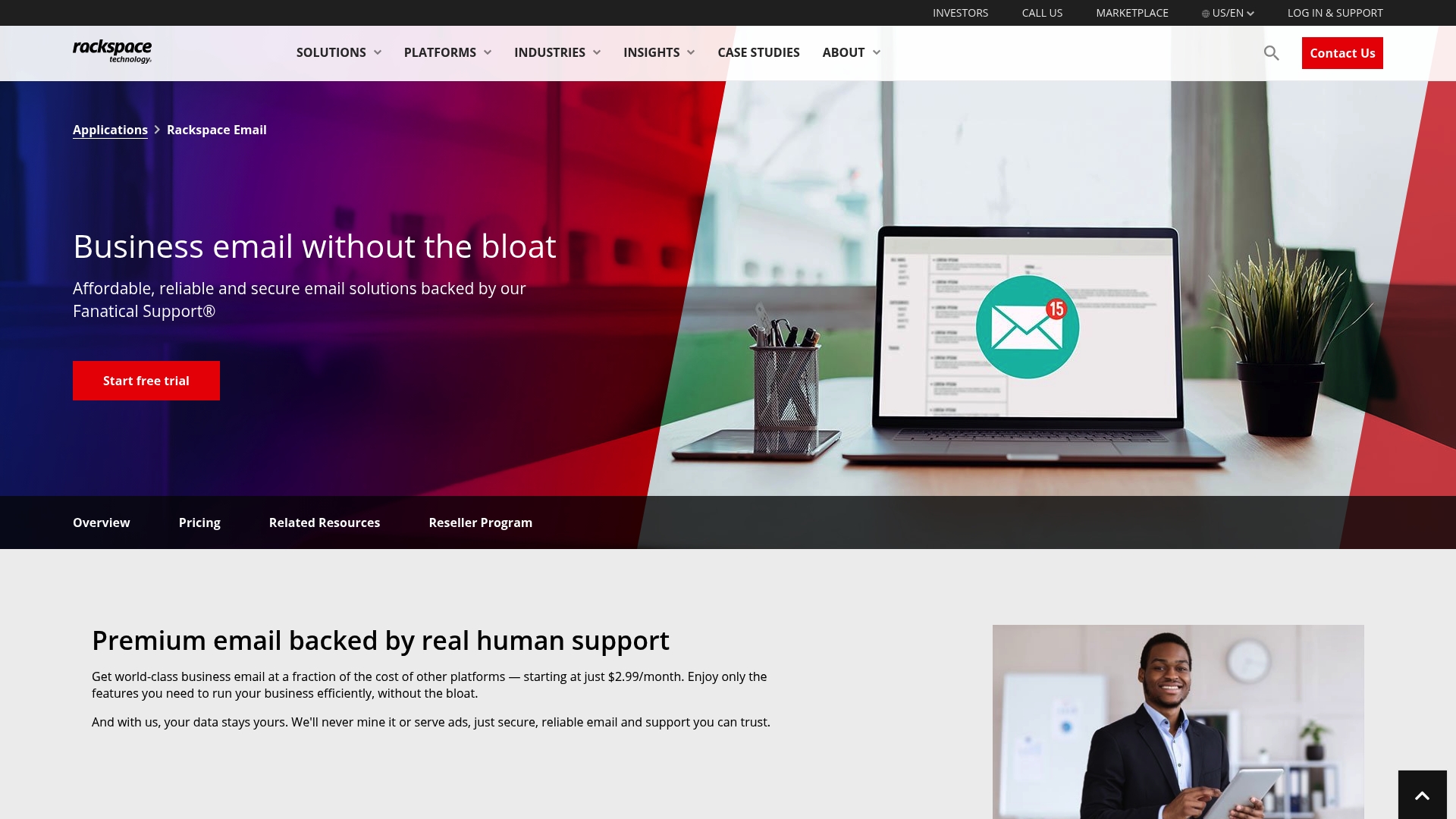
Rackspace Email delivers an affordable, no-frills business email offering backed by true 24x7x365 human support. It focuses on reliability, security, and straightforward migration paths, with mailbox sizes and file storage that scale to common business needs. For hosting providers evaluating alternatives, Rackspace is a practical choice when cost, support availability, and Outlook compatibility matter most.
Core Features
Rackspace Email combines essential email hosting capabilities: large mailboxes up to 25GB, 30GB of file storage, integrated spam and virus protection, and migration assistance for Outlook and mobile devices. Plans are sold without long-term contracts and include around-the-clock expert support, which reduces operational overhead when you need human troubleshooting. The platform positions itself as secure, reliable, and competitively priced, with add-on options for enhanced storage and features.
Pros
- Cost-effective base pricing: At a starting price of $2.99 per mailbox per month, the service lowers entry costs for small to medium deployments, making it easier to offer competitive margins.
- Always-on human support: Rackspace provides 24x7x365 expert support, which shortens resolution times and is especially valuable for resellers who want a dependable escalation path.
- Large mailbox and storage options: Mailboxes up to 25GB and 30GB of file storage handle typical business workloads without immediate upgrades.
- Flexible, contract-free plans: No long-term commitments allow you to scale accounts up or down based on client churn or seasonal demand.
- Seamless Outlook and mobile integration: Native compatibility with Outlook and mobile devices simplifies client onboarding and reduces support training needs.
Cons
- Premium features cost extra: Advanced capabilities and larger storage often require add-ons, which can complicate pricing and eat into reseller margins.
- Sparse advanced feature detail: The offering provides limited public detail on high-end security controls, compliance tooling, or admin automation compared to more specialized competitors.
- Dependent on internet access: Like any cloud email provider, accessibility and performance depend on reliable internet connectivity, which can be a constraint for some clients.
Who It’s For
Rackspace Email is ideal for small to medium-sized businesses and hosting resellers who prioritize low entry cost, dependable human support, and straightforward Outlook compatibility. If your clients need predictable mailbox sizes and you want a vendor with a clear support escalation model, this fits well. If you require deep admin automation or built-in enterprise compliance tooling, look carefully at feature depth.
Unique Value Proposition
Rackspace Email’s distinct advantage is the combination of budget-friendly pricing with round-the-clock expert human support and simple migration paths. That mix reduces onboarding friction and operational risk for resellers who prefer to offload Tier 2 troubleshooting while keeping pricing competitive.
Real World Use Case
A small IT reseller migrates multiple local offices from fragmented mailboxes to Rackspace Email to standardize storage, activate spam and virus protections, and centralize support. Migration services and Outlook compatibility shorten cutover time, while 24x7x365 support handles after-hours incidents.
Pricing
Starting at $2.99 per mailbox per month, with additional paid options available for enhanced storage and premium features.
Website: https://rackspace.com/applications/rackspace-email
Open-Xchange
At a Glance
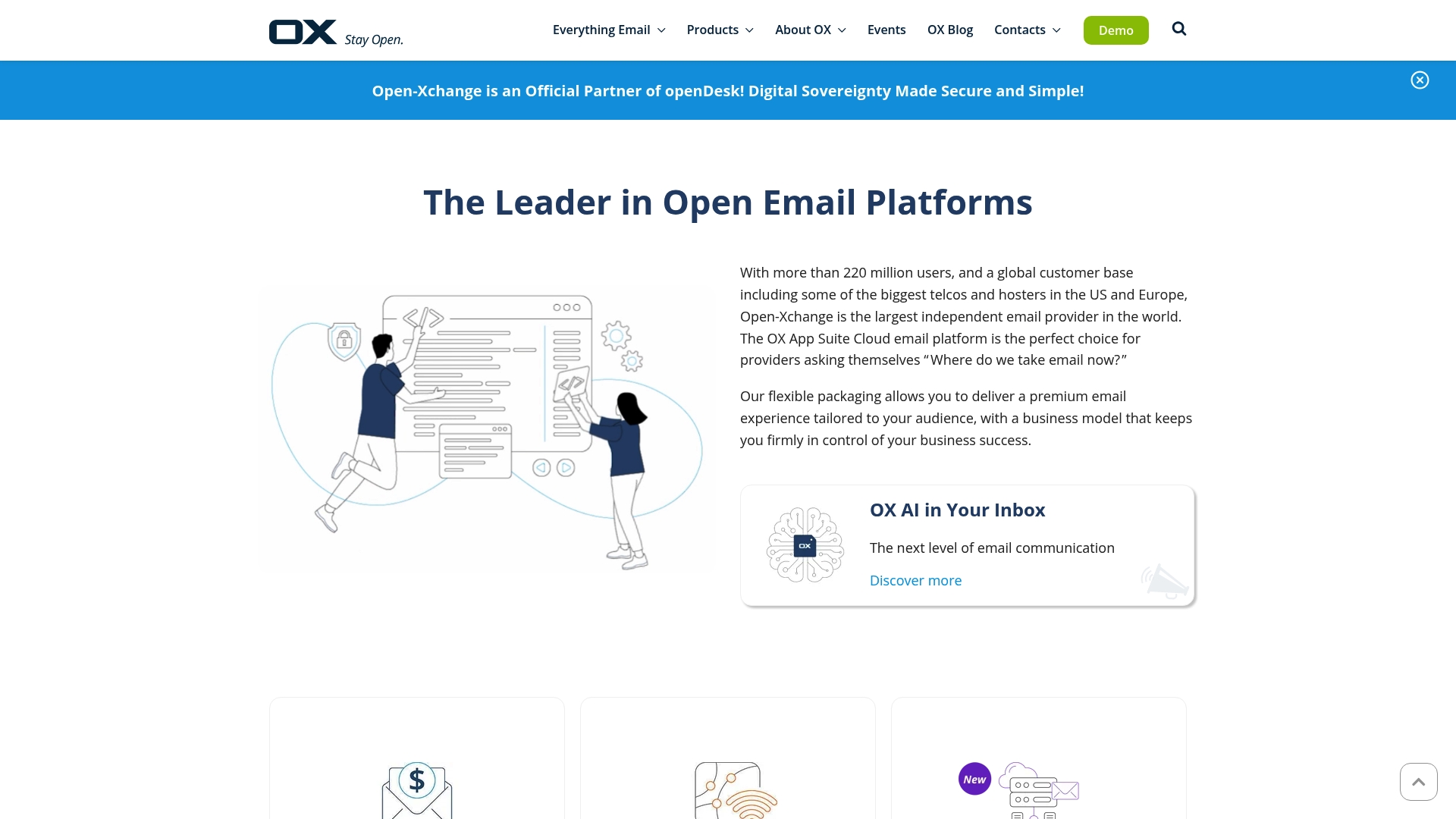
Open-Xchange is an established, enterprise-grade email platform used by major telcos, hosters, and email providers worldwide. It combines cloud and on-premise deployment models with a focus on scalability and open collaboration, making it attractive for resellers and agencies wanting white-label control. The platform’s strength is its carrier-grade footprint and flexible packaging, but smaller providers should expect a nontrivial integration effort. Bottom line: powerful and flexible, yet best suited for organizations that can invest in deployment and customization.
Core Features
Open-Xchange provides a cloud email solution via OX App Suite alongside on-premise options, giving providers choice in architecture. It includes DNS tooling such as PowerDNS, a dedicated backend platform tailored for service providers, and emerging AI-powered email features to enhance productivity. The stack is designed for service providers who need integration depth, multi-tenant operability, and enterprise-grade reliability rather than a simple out-of-the-box consumer mailbox.
Pros
- Largest independent email provider worldwide: With a reported user base in the hundreds of millions, Open-Xchange brings scale and industry credibility that reassures enterprise clients and wholesale partners.
- Flexible packaging for tailored email experiences: The platform supports cloud and on-premise deployments and customizable bundles, which lets you create tiered, branded offerings for different customer segments.
- Trusted by leading telecom and hosting companies: Established relationships with telecoms and hosters signal proven operational maturity and carrier integrations that reduce business risk.
- Innovative integrations with AI and enterprise features: The addition of AI-powered capabilities and a dedicated provider backend help you deliver modern features that enterprise customers increasingly expect.
- Strong focus on open-source and industry collaboration: Their open approach simplifies interoperability and can reduce vendor lock-in while enabling community-driven improvements.
Cons
- Limited specific feature comparison in the provided content: The available information doesn’t offer granular, side-by-side feature or API detail, making direct technical evaluation harder for architects.
- Potential complexity in deployment for smaller providers: Full benefit often requires integration and customization, which can be resource-intensive for small resellers or agencies with limited engineering capacity.
- Details on pricing are not specified in the provided info: Without clear pricing guidance, it’s difficult to model margins and construct usage-based or white-label plans confidently.
Who It’s For
Open-Xchange is ideal for email service providers, telecom companies, and hosting providers that need a scalable, customizable platform to sell branded email at scale. If you operate as a reseller or agency with engineering resources and want to move beyond commodity inboxes to differentiated, managed offerings, Open-Xchange fits well.
Unique Value Proposition
Open-Xchange differentiates itself by offering carrier-scale, flexible deployment choices and strong open-source credentials, enabling providers to deliver premium, branded email services without depending on major hyperscale ecosystems.
Real World Use Case
Providers like Ionos and Rackspace use Open-Xchange to grow premium user bases and improve performance by combining tools such as Dovecot Pro with OX productivity features, demonstrating how the platform supports large-scale, revenue-generating email services.
Pricing
Pricing was not specified in the provided content, so you will need to contact Open-Xchange for partner and deployment pricing suitable to your scale and customization needs.
Website: https://open-xchange.com
Zimbra
At a Glance
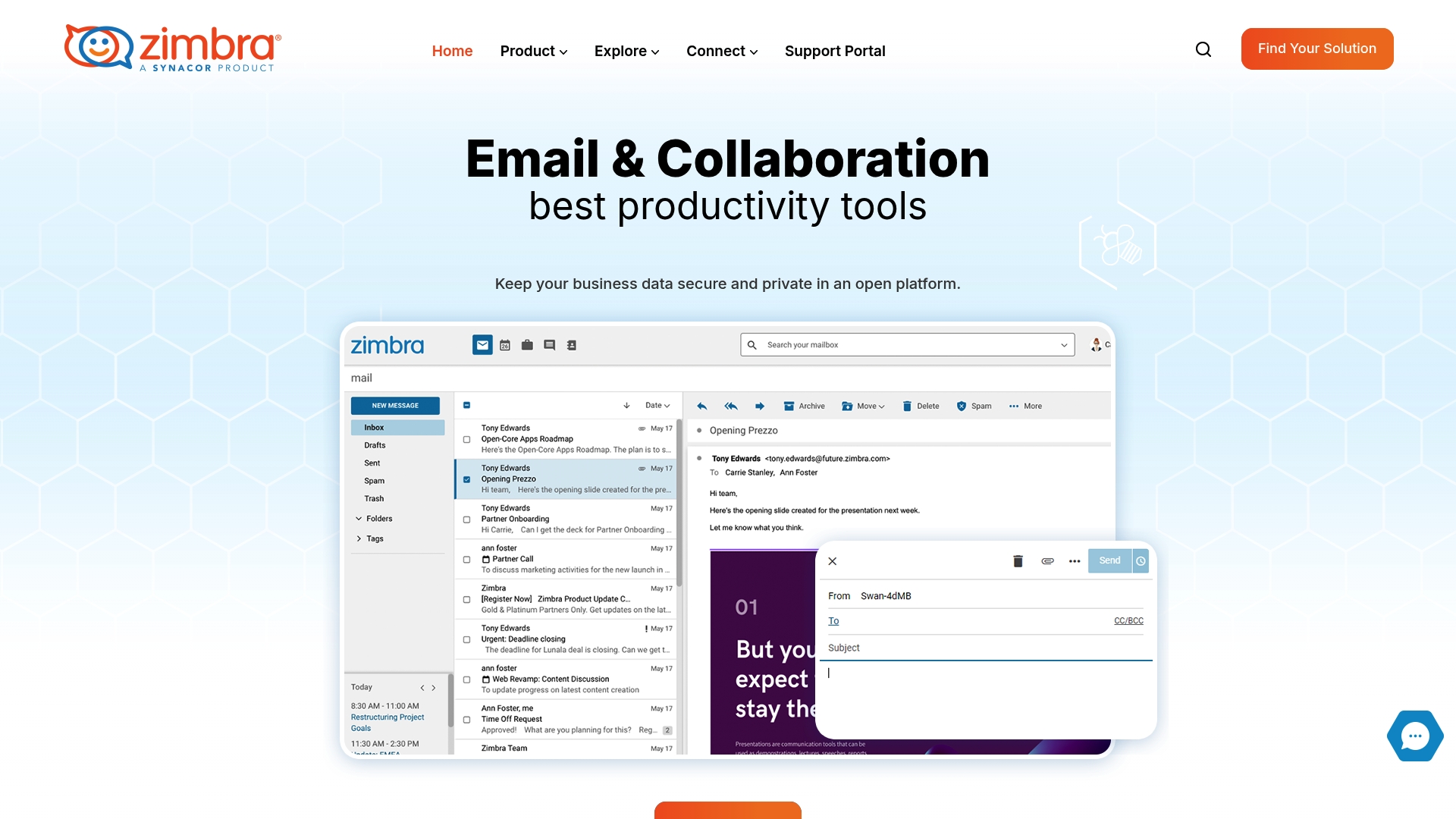
Zimbra is a secure, open-standards collaboration platform used by thousands of clients worldwide that prioritizes data sovereignty and flexible deployment. For resellers and IT agencies, it offers a solid foundation if you need to deliver branded, privacy-first email and collaboration services outside the big cloud ecosystems. Expect a mature feature set—but also plan for elevated operational overhead if you choose on-premises or hybrid deployments. In short: very capable, but not plug-and-play for every reseller.
Core Features
Zimbra bundles integrated email, calendar, contacts, tasks, and document sharing with real-time chat and platform integrations based on open standards. It supports flexible deployment models—on-premises, cloud, or hybrid—so you can tailor architecture to client compliance and sovereignty needs. Advanced security controls such as two-factor authentication and web application firewalls are built in, and the emphasis on open standards makes it easier to interoperate with existing systems your clients may already run.
Pros
- Secure and private data control: Zimbra’s design centers on data sovereignty, letting you host client data where required to meet compliance or contractual needs.
- Flexible deployment options: You can deploy on-premises, in cloud instances, or in hybrid topologies to match different client risk profiles and performance requirements.
- Open standards compatibility: The platform’s standards-based approach simplifies integration with existing directories and tools, reducing vendor lock-in for your clients.
- Comprehensive collaboration tools: Email, calendar, contacts, tasks, document sharing, and real-time chat are all available in a single stack, which streamlines end-user workflows.
- Advanced security features: Built-in safeguards like 2FA and WAF support help protect tenant environments and reduce your security lift as a provider.
Cons
- Complexity of deployment and management for some users: Setting up and operating Zimbra at scale can require significant planning and configuration expertise, which raises onboarding time.
- Cost and resource needs for on-premises setup if applicable: Hosting Zimbra on-premises can demand more capital and operational resources than cloud-native managed options, impacting margin and time to value.
- Requires technical knowledge for optimal setup and management: To extract the full benefits and maintain security posture, you’ll need staff with specific skills in mail systems and platform administration.
Who It’s For
Zimbra fits businesses and organizations that must control where their data lives and require a full collaboration suite without surrendering control to large public cloud providers. It’s ideal for IT agencies and hosting providers that can absorb initial integration and operational work, or for resellers who offer managed deployments as a premium service to compliance-conscious customers.
Unique Value Proposition
Zimbra’s unique strength is combining open standards with deployment flexibility and strong security controls, giving you the choice to deliver truly sovereign, branded collaboration services. That combination appeals when compliance, privacy, and vendor independence are priority selling points.
Real World Use Case
A university deploys Zimbra on-premises to ensure student and faculty records remain within institutional control, while offering integrated email, calendars, and document sharing across departments—reducing reliance on external cloud providers and simplifying compliance with local data rules.
Pricing
Information not provided on the webpage; pricing typically varies based on deployment model, edition, and support requirements, so expect custom quotes.
Website: https://zimbra.com
IceWarp
At a Glance
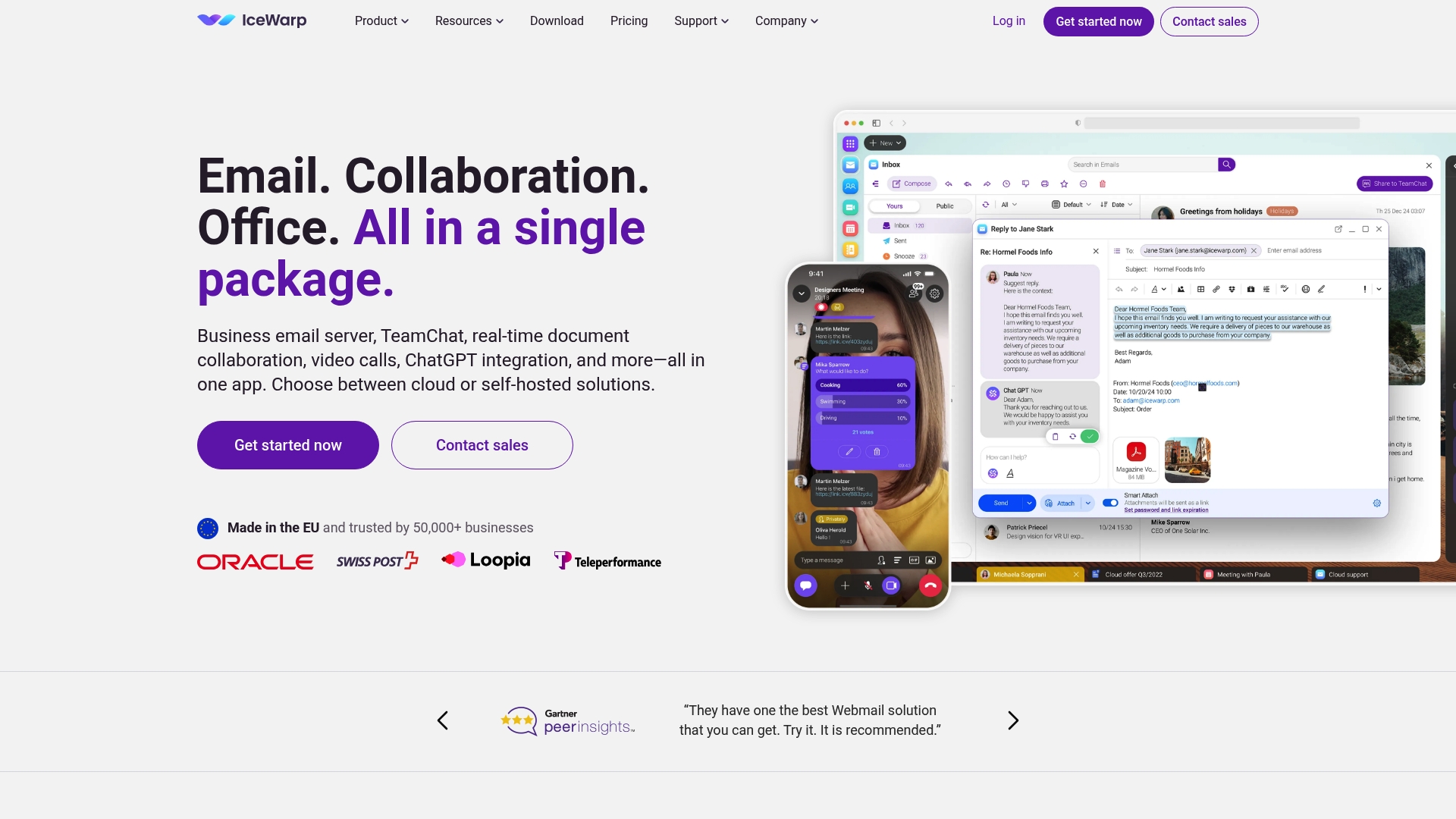
IceWarp is an all-in-one collaboration platform that bundles business email, team chat, video conferencing, real-time document collaboration, and file storage into a single app accessible via cloud or self-hosted deployment. For resellers and IT agencies, it presents a white-label-friendly alternative to large ecosystems, emphasizing security, data sovereignty, and Microsoft compatibility. It’s strong on customization and scale, but self-hosted setups can demand technical effort and onboarding time.
Core Features
IceWarp combines business email with custom domains, team chat, video and audio conferencing (including webinar mode), shared calendars with booking and scheduling, and file management with real-time editing and co-authoring for documents, spreadsheets, and presentations. The platform advertises 1 TB of cloud storage per user, mobile synchronization, desktop apps for Windows and Mac, Outlook sync, and even ChatGPT integration for assisted workflows. You get a single pane of glass for communication and collaboration whether you choose cloud or self-hosted infrastructure.
Be realistic. Expect a platform packed with capabilities.
Pros
- Full integration of communication and collaboration tools in a single platform means you can sell a consolidated, higher-value package to clients with fewer moving parts to integrate.
- Flexible deployment options (cloud and self-hosted) let you tailor offerings to customers who require control over data residency or on-premises infrastructure.
- High level of customization and data control enables white-labeling and enterprise policy enforcement that appeals to regulated industries.
- Scales to support large enterprises with thousands of users, which lets you target larger contracts and grow revenue per client.
- Features like ChatGPT integration and webinar mode add modern capabilities that differentiate your service catalog.
Cons
- Limited information on specific pricing tiers and feature comparisons makes it harder to craft precise reseller margins without direct vendor clarification.
- Self-hosted options require setup and ongoing management, which can mean additional internal engineering resources or managed services for clients.
- There is a potential learning curve for users unfamiliar with such a broad feature set, which can increase support overhead during rollout.
Who It’s For
IceWarp is best for resellers, hosting providers, and IT agencies that want to offer a secure, customizable collaboration suite as a differentiator against Microsoft 365 and Google Workspace. It suits medium to large enterprises, organizations prioritizing data sovereignty, and customers migrating from proprietary Exchange or Workspace environments.
Unique Value Proposition
IceWarp’s strength is delivering a single, integrated platform that replaces multiple point products while offering deployment flexibility and strong data control. That combination lets you package branded, enterprise-ready email and collaboration services without being locked into major cloud ecosystems.
Real World Use Case
A Czechia-based airline replaced Microsoft Exchange with IceWarp to centralize email, chat, and document collaboration, improving security and lowering costs while retaining integration with existing enterprise tools.
Pricing
Flexible plans start at $23 per month for up to 10 users, with business and enterprise options available and a 30-day free trial to validate fit before committing.
Website: https://icewarp.com
SmarterTools
At a Glance
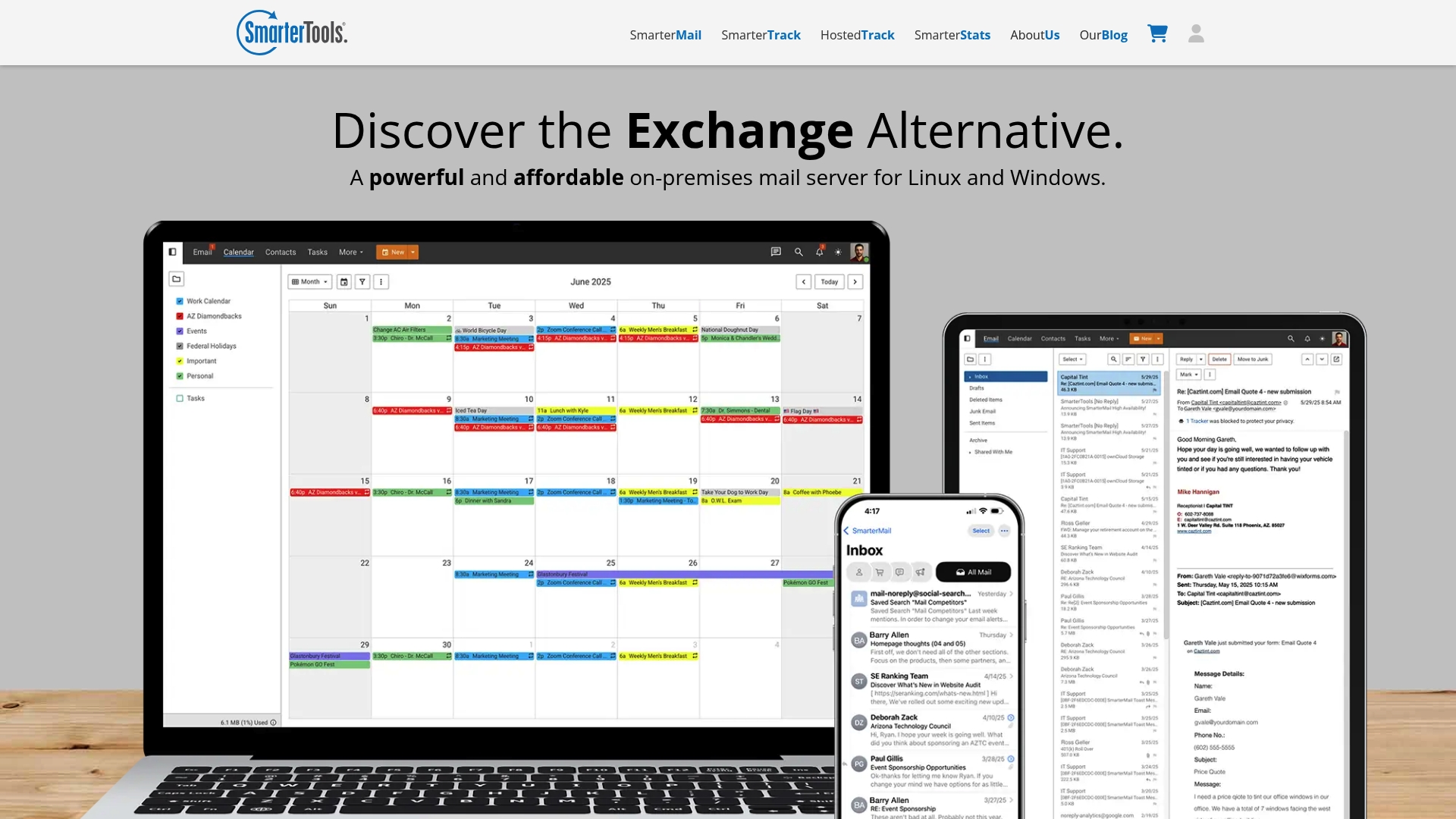
SmarterTools bundles reliable, economical email, support, and analytics software aimed at hosting providers, ISPs, and medium-sized businesses. Its SmarterMail server delivers Exchange-level features with support for unlimited domains and users, while SmarterTrack and SmarterStats round out customer service and site analytics needs. If you want a self-hosted alternative that scales without per-user license bloat, SmarterTools is worth evaluating. It’s comprehensive, pragmatic, and cost-conscious.
Core Features
SmarterTools offers both on-premises and cloud deployment models centered on SmarterMail as an Exchange-capable mail server for Linux and Windows, designed to handle unlimited domains and users. The suite includes SmarterTrack for help desk operations with tickets, live chat, and call logs plus a hosted customer service option for multi-channel support, and SmarterStats for website analytics and SEO insights. Together these tools provide an integrated stack for email hosting, customer support, and traffic analysis, enabling providers to deliver a bundled service without assembling multiple point products.
Pros
- Scalable across deployments: SmarterTools provides both on-premises and cloud options, which makes it easy to match hosting architecture and compliance needs.
- Unlimited domains and users: The platform supports an unrestricted number of domains and mailboxes, a clear advantage for hosting providers and MSPs managing many tenants.
- Broad feature set beyond email: Including help desk and analytics tools lets you offer a more complete managed-service package rather than standalone email.
- Cost-effective alternative: The suite is positioned as more affordable than traditional enterprise vendors, helping protect margin for resellers.
- Suitable for diverse organizations: From SMBs to enterprises and ISPs, the product range fits varied scale and operational models.
Cons
- Pricing transparency is limited: The overview does not include explicit pricing, so you must contact the vendor for a quote before modeling margins.
- Potential learning curve for operations teams: Administrators unfamiliar with server management or multi-channel help desk setups may need time to configure and optimize the environment.
- Unclear trial posture from overview: While SmarterMail offers a free download, the summary does not confirm a full-featured trial for the entire suite, which complicates hands-on evaluation.
Who It’s For
SmarterTools is aimed at IT managers, web hosting providers, and medium-sized businesses that need scalable, self-hosted or cloud-managed communication infrastructure. If you resell services or run a hosting operation and want control over branding, tenancy, and data residency while avoiding per-user enterprise fees, this suite targets your needs.
Unique Value Proposition
SmarterTools differentiates by combining an Exchange-level mail server with integrated help desk and analytics in one vendor stack, delivered both on-premises and in the cloud. That integration simplifies operations and lets resellers package complementary services that increase client stickiness and revenue per customer.
Real World Use Case
A hosting provider deploys SmarterMail to supply reliable email hosting to thousands of customers, pairs SmarterTrack to handle client support tickets and live chat, and uses SmarterStats to monitor customer sites—creating a bundled service offering that enhances retention and generates new upsell paths.
Pricing
Pricing information is not explicitly listed in the overview; interested buyers are advised to contact SmarterTools or visit the website for a tailored quote based on deployment and scale.
Website: https://smartertools.com
Professional Email Hosting Solutions Comparison
This table provides a comparison of popular email hosting and collaboration platforms, detailing features, pros, cons, pricing, and usability to assist in selecting the best solution.
| Platform | Key Features | Pros | Cons | Price |
|---|---|---|---|---|
| Atriomail | Fully managed infrastructure, DNS validation automation, API integrations | Complete control over branding, automation features for management, flexible pricing | Centralized architecture increases dependency on the provider | From $1.39 per mailbox |
| Zoho Mail | Secure hosting, migration tools, CRM integration | Strong security and privacy, custom domains, flexible storage plans | Limited free storage, paid plans required for advanced features | Free plan, paid plans available |
| Rackspace Email | Large mailbox storage, reliable support | 24/7 support, cost-effective pricing, flexible plans without contracts | Premium features cost extra, sparse advanced feature detail | Starting at $2.99 per mailbox/month |
| Open-Xchange | Carrier-grade scale, flexible deployment | Open-source approach, trusted by telecoms, customizable deployment models | Resource-intensive setup, pricing specific to scale and customization | Contact vendor for pricing |
| Zimbra | Integrated collaboration tools, open standards | Secure deployment options, comprehensive suite of tools | Elevated management for on-premises or hybrid setups | Contact vendor for pricing |
| IceWarp | Unified communication and collaboration | Comprehensive tools in a single platform, custom deployment options | Setup complexity for self-hosted setups, limited pricing transparency | Starting at $23/month for 10 users |
| SmarterTools | Scalable email server, help desk and analytics tools | Unlimited domains, economical pricing, integrated management | Pricing not explicitly listed, learning curve for admins | Contact vendor for pricing |
Empower Your Hosting Business with White-Label Email Solutions
The article highlights the struggle hosting providers and IT agencies face with managing complex email infrastructure, costly upfront licensing, and the challenge of scaling while maintaining brand control and privacy. If you want to avoid the operational headaches of maintaining mail servers and DNS validation or reduce dependency on large cloud ecosystems, Atriomail offers a fully managed, white-label platform designed precisely for these challenges. With automated DNS validation for MX, SPF, DKIM, and DMARC, usage-based pricing that grows with your business, and seamless API integration, you get the freedom to offer enterprise-grade email services under your own brand with increased margins and less overhead.
Atriomail is your solution to unlock scalable, private, and branded email hosting. Whether you are a reseller, hosting provider, or IT agency, you can leverage our platform to streamline onboarding, automate configuration, and provide reliable support without hiring extra engineers. Ready to break free from big ecosystems and build your independent email business? Try our trusted platform that partners have praised for operational efficiency and revenue growth.
Unlock your branded email services today!
Register now to get started with Atriomail.
Discover how white-label email hosting works
Start your free trial and scale your email offerings
Frequently Asked Questions
What are the key features to look for in email hosting alternatives for hosting providers?
When evaluating email hosting alternatives, prioritize features like scalability, customization options, branding capabilities, and robust technical support. Ensure the service supports automated setups and integration capabilities to streamline operations for your clients.
How can I determine the right email hosting service for my clients’ needs?
Assess your clients’ specific requirements, such as data privacy regulations, storage needs, and expected user volume. Create a checklist of features they require, then compare email hosting options based on how well they align with those needs.
What are the cost implications of switching to a new email hosting provider?
Cost considerations can include monthly subscription fees, potential migration costs, and any setup or customization expenses. Calculate the total cost of ownership over a year to understand how it aligns with your budget and expected margins.
How can I effectively migrate my clients to a new email hosting service?
Create a detailed migration plan that includes timeline, communication strategies, and necessary client education. Test the migration process on a smaller scale if possible, aiming to reduce the overall downtime to less than 24 hours to ensure a smooth transition.
What kind of support should I expect from an email hosting provider?
Look for providers that offer 24/7 customer support through multiple channels, including chat, email, and phone. Ensure they have a knowledgeable support team that can assist with technical issues and respond within minutes to urgent inquiries.
How can I ensure high email deliverability with my chosen hosting service?
To boost email deliverability, verify that your provider supports automated DNS configuration for crucial records like SPF, DKIM, and DMARC. Implement these settings as part of your setup to enhance inbox placement rates for all outgoing emails.