
More than 80 percent of American businesses say branded email hosting directly impacts trust and client retention. For IT agency owners and email service resellers in North America, the push for scalable, white-label solutions goes beyond basic functionality. Reliable platforms with deep customization and strong authentication set your agency apart, protect your clients, and drive higher margins. This guide reveals how to assess, configure, integrate, secure, and monitor email hosting to maximize brand value and operational efficiency.
Table of Contents
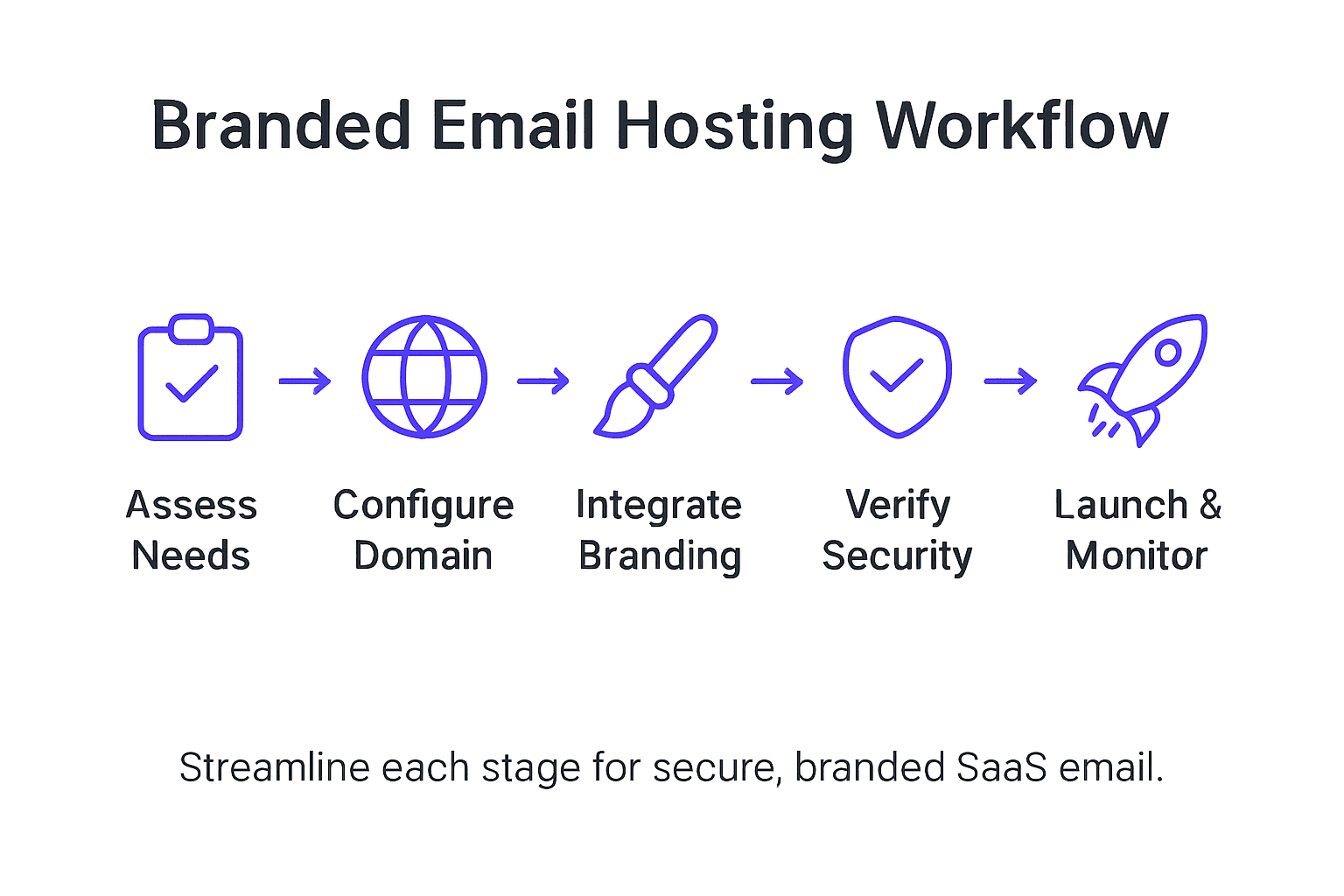
- Step 1: Assess Requirements For Branded Email Hosting
- Step 2: Configure Domains And Automate DNS Validation
- Step 3: Integrate Platform Features And Client Branding
- Step 4: Verify Email Service Provisioning And Security
- Step 5: Launch And Monitor Hosted Email Services
Quick Summary
| Key Point | Explanation |
|---|---|
| 1. Assess Email Hosting Needs | Identify your organization’s technical and branding requirements for effective email deployment strategy development. |
| 2. Automate DNS Configuration | Utilize tools to simplify DNS management, ensuring correct setup of MX, SPF, DKIM, and DMARC records. |
| 3. Integrate Client Customizations | Customize the email platform to reflect client’s brand identity, enhancing user experience and satisfaction. |
| 4. Verify Email Security Protocols | Implement rigorous email authentication technologies to safeguard against spoofing and ensure legitimate email delivery. |
| 5. Monitor Email Performance Post-Launch | Establish monitoring frameworks to track system performance, allowing for rapid response to vulnerabilities and service issues. |
Step 1: Assess requirements for branded email hosting
Assessing requirements for branded email hosting represents a strategic foundation for creating a robust and professional email infrastructure. Your goal in this initial phase is to comprehensively map out the specific technical and branding needs that will shape your email deployment strategy.
Begin by conducting a thorough analysis of your organization’s email communication requirements. This involves evaluating multiple critical dimensions including messaging volume, security protocols, scalability needs, and brand authentication specifications. Specifically, consider elements like total number of email accounts, expected growth trajectory, domain verification needs, and specific branding elements you want to incorporate. Pay particular attention to authentication mechanisms such as DMARC, SPF, and DKIM records which are crucial for establishing email legitimacy and preventing potential spoofing.
Understand that requirements analysis is not just a technical exercise but a strategic planning process that connects technological capabilities with business objectives. Document your specific needs comprehensively, including integration requirements with existing communication platforms, compliance standards relevant to your industry, and specific customization preferences that will differentiate your email hosting solution.
Pro tip: Create a detailed requirements matrix that maps technical specifications against business goals to ensure your branded email hosting solution delivers maximum strategic value.
Step 2: Configure domains and automate DNS validation
Configuring domains and automating DNS validation represents a critical phase in establishing a robust and secure email hosting infrastructure. Your goal is to streamline domain setup and ensure seamless email authentication across your branded communication platform.
Begin by leveraging domain configuration automation tools that simplify complex DNS management processes. This involves systematically verifying and configuring essential DNS records including MX (mail exchange), SPF (sender policy framework), DKIM (domain keys identified mail), and DMARC (domain based message authentication) records. Ensure each record is precisely configured to validate your domain ownership and establish email sending legitimacy. Pay special attention to mapping your mail server addresses correctly and implementing authentication protocols that prevent email spoofing and enhance deliverability.
Implement a comprehensive validation workflow that includes automated testing and verification mechanisms. This requires creating detailed DNS zone configurations that match your specific email hosting requirements, including reverse DNS lookups, proper record formatting, and security mechanisms that protect against potential domain hijacking or unauthorized email routing. Document each configuration step meticulously to maintain a clear audit trail and enable future troubleshooting.
Pro tip: Utilize automated DNS validation tools that offer real time configuration checks and provide immediate feedback on potential misconfigurations to streamline your domain setup process.
Step 3: Integrate platform features and client branding
Integrating platform features and client branding represents a critical strategy for creating a seamless and personalized email hosting experience. Your goal is to transform a generic email platform into a fully customized solution that reflects your client’s unique organizational identity and operational requirements.
Begin by implementing comprehensive SaaS governance practices that enable deep customization while maintaining robust security protocols. This involves strategically configuring role based access controls, embedding client logos, customizing domain properties, and establishing multi tenant environments that preserve individual client branding. Focus on creating a flexible integration framework that allows for granular customization of user interfaces, email templates, and communication workflows while ensuring consistent performance and security standards across different client deployments.

Develop a systematic approach to client onboarding that includes comprehensive feature mapping, visual branding alignment, and scalable integration methodologies. This requires creating detailed configuration templates that can be quickly adapted to each client’s specific requirements, ensuring that the email hosting platform feels like a native extension of their existing communication infrastructure. Pay special attention to maintaining data isolation, implementing client specific encryption protocols, and providing intuitive customization interfaces that empower clients to fine tune their email hosting experience.
Pro tip: Create a modular branding integration framework that allows rapid deployment of client specific customizations while maintaining a standardized backend infrastructure.
Step 4: Verify email service provisioning and security
Verifying email service provisioning and security represents a critical final step in ensuring a robust and trustworthy email hosting infrastructure. Your goal is to implement comprehensive validation mechanisms that protect your clients email communications and maintain the highest standards of operational integrity.
Begin by implementing rigorous email authentication technologies that establish definitive verification protocols for all outgoing and incoming communications. This comprehensive approach requires systematically configuring SPF (Sender Policy Framework), DKIM (DomainKeys Identified Mail), and DMARC (Domain based Message Authentication Reporting and Conformance) records to create multiple layers of verification. Systematically test each authentication mechanism to confirm precise configuration, ensuring that legitimate emails are successfully delivered while potential spoofing attempts are immediately blocked.
Here’s a quick overview of key email authentication protocols and their business impact:
| Protocol | Purpose | Business Impact |
|---|---|---|
| SPF | Validates sender IP | Reduces phishing risk |
| DKIM | Digitally signs emails | Protects brand reputation |
| DMARC | Aligns authentication policies | Improves email deliverability |
Develop a systematic account provisioning verification process that meticulously controls user access and privileges. This involves implementing granular authorization controls, creating secure onboarding workflows, and establishing robust monitoring systems that track account activities and quickly identify potential security anomalies. Pay particular attention to creating role based access protocols that limit system permissions based on organizational requirements, and implement continuous security auditing mechanisms that provide real time insights into potential vulnerabilities or unauthorized access attempts.
Pro tip: Implement automated security scanning tools that continuously validate email authentication configurations and generate comprehensive compliance reports for proactive threat management.
Step 5: Launch and monitor hosted email services
Launching and monitoring hosted email services represents the final critical phase of creating a robust and reliable email infrastructure. Your goal is to transform your meticulously configured platform into an operational email hosting solution that delivers consistent performance and security.
Begin by implementing comprehensive email server monitoring strategies that provide real time insights into system performance and potential security vulnerabilities. This requires establishing sophisticated monitoring frameworks that track critical metrics including server health, mail delivery rates, spam filter effectiveness, and overall system responsiveness. Configure automated alert systems that immediately notify your team of potential performance degradations or security anomalies, enabling rapid response and minimizing potential service interruptions.
Develop a proactive maintenance workflow that includes regular performance audits, security patch management, and continuous system optimization. This involves creating detailed operational protocols for monitoring email transmission rates, analyzing spam detection effectiveness, and conducting periodic security assessments. Implement granular reporting mechanisms that provide comprehensive visibility into system performance, allowing you to continuously refine and improve your email hosting infrastructure. Focus on maintaining a balance between robust security protocols and seamless user experience, ensuring that your email services remain both highly protected and user friendly.
Below is a summary of essential email hosting features and their strategic benefits:
| Feature | Description | Strategic Benefit |
|---|---|---|
| Custom Domains | Branded email addresses | Enhances professionalism |
| DNS Automation | Automated record setup | Saves admin time |
| Branding Integration | Client-specific customization | Strengthens client loyalty |
| Security Auditing | Continuous threat monitoring | Maintains data integrity |
Pro tip: Establish automated performance dashboards that provide real time insights into email service metrics and enable immediate identification of potential system vulnerabilities.
Unlock Seamless Branded Email Hosting with AtrioMail
Building a branded SaaS email platform means tackling challenges like automating DNS validation, integrating client branding, and ensuring airtight security with SPF, DKIM, and DMARC protocols. If you want to skip the complexity of managing email infrastructure and focus on delivering professional, scalable, and fully white-labeled email services, AtrioMail is designed exactly for your needs. Our platform empowers resellers, hosting providers, and IT agencies to quickly launch dependable branded email hosting without sacrificing control or customization.
Deploy your own branded email platform with AtrioMail and enjoy benefits like fully managed infrastructure, real-time DNS automation, and seamless API integration for effortless domain configuration and client onboarding. You gain complete brand control with customizable interfaces and security auditing, matching every step outlined in the “Email Hosting Workflow Guide for Branded SaaS Deployment.” Let AtrioMail handle the technical heavy lifting so you can focus on growth and client success.
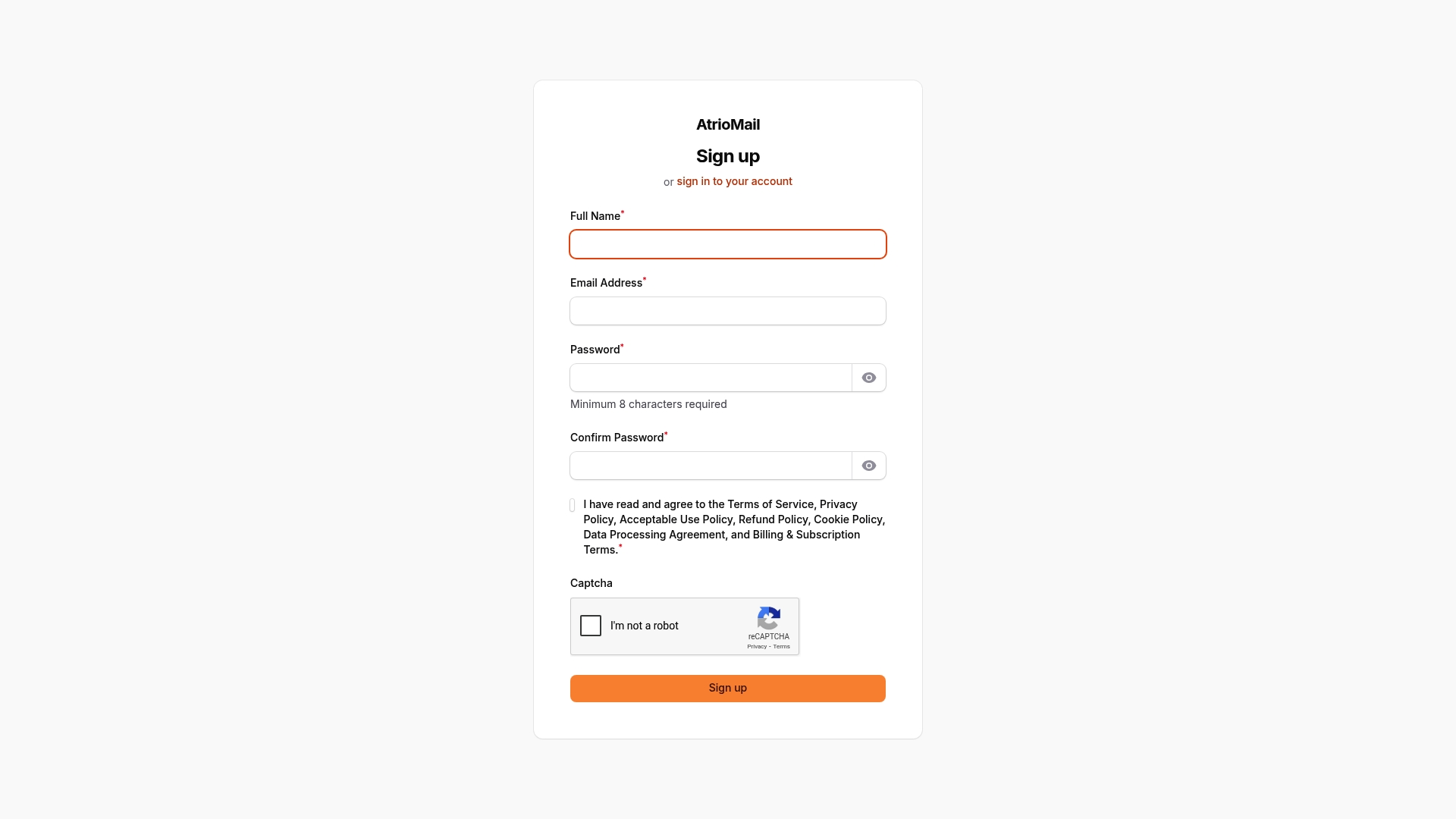
Ready to take the next step toward effortless branded email hosting? Register now to start your journey toward scalable, secure, and fully customizable email solutions at AtrioMail Admin Registration. Discover how automating DNS validation and integrating advanced email authentication can boost your service reliability and client trust today.
Frequently Asked Questions
How do I assess my organization’s requirements for branded email hosting?
To assess your organization’s requirements, conduct a thorough analysis of your email communication needs, including messaging volume, security protocols, and scalability. Document specific needs such as the number of email accounts and authentication mechanisms like DMARC, SPF, and DKIM.
What steps are involved in configuring domains for my branded email?
Configuring domains involves verifying and setting up essential DNS records like MX, SPF, DKIM, and DMARC. Start by using domain configuration automation tools to streamline the setup process and ensure each record is accurately configured to validate your domain ownership.
How can I integrate client branding into the email platform?
To integrate client branding, customize the email platform by embedding logos, adjusting domain properties, and fine-tuning user interfaces. Develop configuration templates that can be adapted for each client, ensuring a smooth onboarding process and a seamless brand experience.
What verification processes should I implement for email service provisioning?
Implement rigorous email authentication technologies, including SPF, DKIM, and DMARC, to ensure secure email communications. Create a verification workflow that systematically tests each authentication mechanism to confirm precise configuration and detect spoofing attempts.
How do I monitor the performance of my hosted email services?
To monitor performance, establish a comprehensive email server monitoring strategy that tracks metrics such as server health, delivery rates, and spam filter effectiveness. Implement automated alert systems to notify your team of performance issues, allowing for rapid response and maintenance.
What are the benefits of using automated DNS validation tools?
Automated DNS validation tools streamline the domain setup process by providing real-time checks on configuration accuracy. Utilize these tools to reduce setup time and improve validation efficiency, helping to maintain high email deliverability rates and reduce potential misconfigurations.