
More than 80 percent of American businesses rely on branded email to build trust with clients. For IT agency owners and resellers in North America, choosing the right white-label email hosting solution means gaining full control over brand identity while sidestepping the risks of depending on major providers. This guide maps out practical steps for delivering scalable, professional email platforms that reinforce your company’s reputation and empower growth.
Table of Contents
- Step 1: Assess Business And Branding Needs
- Step 2: Configure White-Label Email Platform
- Step 3: Integrate Automation And DNS Validation
- Step 4: Set Up Domains And Client Management
- Step 5: Test Branding And Service Reliability
Quick Summary
| Key Point | Explanation |
|---|---|
| 1. Assess Email Hosting Needs | Evaluate your organization’s email requirements, including users, volume, and integration needs. |
| 2. Configure for Brand Consistency | Set up a white-label email system that reflects your brand through customized settings and elements. |
| 3. Automate DNS Management | Use automation tools for DNS validation to enhance security and reduce configuration errors. |
| 4. Centralize Domain Management | Implement a control panel for managing domains and client accounts effectively and securely. |
| 5. Test for Performance and Branding | Conduct thorough testing to ensure service reliability and maintain consistent branding across all platforms. |
Step 1: Assess business and branding needs
Understanding your email hosting requirements starts with a strategic assessment of your brand’s communication infrastructure. Successful managed email hosting demands more than just a basic platform it requires a solution that reflects your unique brand identity and professional standards.
Begin by mapping out your specific organizational needs. Consider factors like total number of users, expected email volume, domain management requirements, and integration capabilities with existing business systems. Large organizations typically need solutions that can accommodate thousands of users across multiple domains while maintaining high availability and robust security. Your assessment should examine scalability potential security protocols communication consistency and alignment with your overall brand messaging strategy.

During this evaluation process focus on creating a comprehensive profile of your email communication ecosystem. This means identifying not just technical specifications but also understanding how your email platform contributes to your brand’s professional image and customer perception. Determine whether you need advanced features like custom domain branding email archiving compliance tools or specific security configurations that match your industry standards.
Pro tip: Create a detailed spreadsheet tracking your exact email hosting requirements before selecting a solution to ensure you dont overlook any critical specifications.
Step 2: Configure white-label email platform
Configuring a white-label email platform represents a critical step in establishing your branded communication infrastructure. This process transforms a generic email system into a professional extension of your business identity, allowing you to present a seamless and consistent brand experience.
Start by establishing your core configuration settings. Configuring outbound email parameters involves setting precise SMTP server details including host, port, authentication, and security protocols. These technical foundations ensure that every email sent appears to originate directly from your organization. You will need to specify your custom domain settings, set up email routing rules, and implement authentication mechanisms like SPF, DKIM, and DMARC to validate your email sending infrastructure.
Next, focus on visual and functional customization. Utilize white-label customization tools that allow you to replace default branding elements with your unique logos, color schemes, and messaging. This goes beyond mere aesthetics it creates a cohesive brand experience that reinforces your professional image across all communication touchpoints. Pay special attention to login interfaces, email templates, and system notifications to ensure a consistent look and feel that reflects your brand standards.
Pro tip: Test your white-label email configuration thoroughly from multiple devices and email clients to verify consistent branding and functionality across different platforms.
Step 3: Integrate automation and DNS validation
Integrating automation and DNS validation is a crucial step in creating a robust and secure email hosting platform. This process ensures your email infrastructure operates with maximum efficiency and security while minimizing manual intervention.
DNS configuration is essential for email hosting, involving complex record management including MX, A, CNAME, SPF, DKIM, and DMARC records that direct email traffic and authenticate messages. Automation tools play a critical role in dynamically updating these records, reducing human error and ensuring continuous service reliability. You will need to implement automated systems that can handle DNS record updates in real time, verify authentication protocols, and maintain the integrity of your email routing infrastructure.
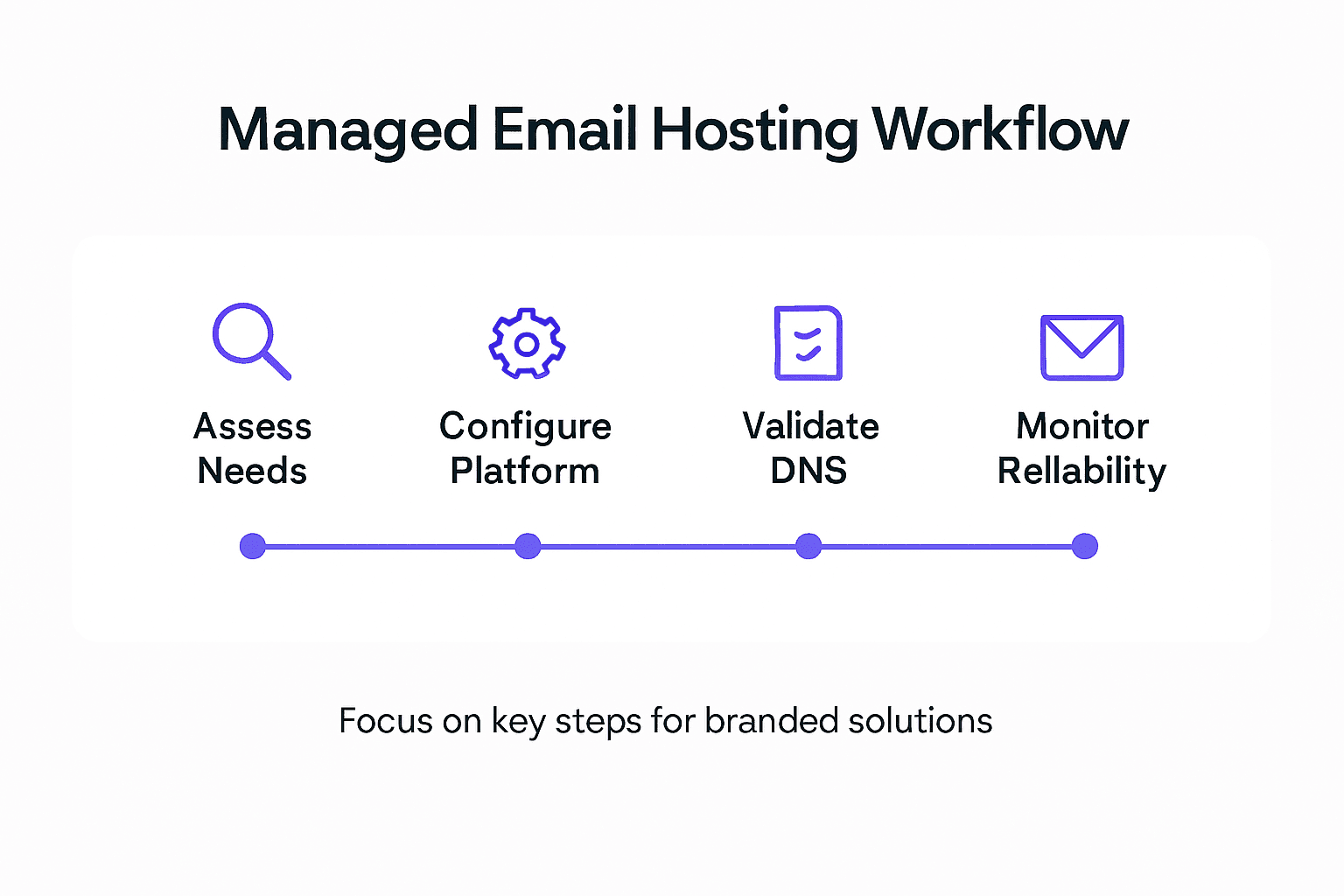
Securing DNS through automated processes helps maintain the authenticity and integrity of your email communications. This involves implementing dynamic update mechanisms and leveraging DNSSEC to prevent potential email spoofing and enhance overall deliverability. Focus on creating a comprehensive automation strategy that covers DNS validation, security checks, and continuous monitoring to ensure your white label email platform remains resilient and trustworthy.
Pro tip: Create a comprehensive automation script that performs periodic DNS record validation and automatically alerts you to any potential configuration discrepancies.
Step 4: Set up domains and client management
Setting up domains and client management represents the operational core of your white label email hosting platform. This critical phase transforms your infrastructure from a technical framework into a fully functional, client ready system.
Email hosting control panels provide centralized domain and client management capabilities that enable administrators to create and configure email accounts, manage DNS settings, and enforce security protocols. Your primary objective is to establish a robust management system that allows seamless onboarding, configuration, and ongoing administration of client domains. This involves creating flexible account structures, implementing role based access controls, and developing intuitive interfaces that simplify complex technical processes for your clients.
Effective domain management requires comprehensive functions like adding or removing domain managers, updating security emails, renewing domains, and maintaining precise DNS configurations. Focus on developing a scalable system that provides granular control while maintaining user friendliness. This means creating administrative dashboards that allow clients to perform essential tasks independently while preserving your ability to monitor and enforce security and compliance standards.
Pro tip: Design your client management interface with role based permissions that enable self service capabilities while maintaining strict security controls.
Here’s how core white-label email hosting features impact business outcomes:
| Feature | Business Impact | Typical Implementation |
|---|---|---|
| Custom Domain Branding | Enhances professional reputation | DNS and template customization |
| Automated DNS Validation | Reduces misconfiguration and downtime | Scripting and monitoring tools |
| Role-Based Permissions | Improves security and client self-service | Control panel access settings |
| Compliance Tools | Supports regulatory requirements | Archiving and policy engines |
Step 5: Test branding and service reliability
Testing your white label email hosting platform is a critical phase that validates the technical performance and brand consistency of your solution. This comprehensive evaluation ensures your service meets the highest standards of reliability and professional presentation.
Optimizing email hosting performance requires systematic monitoring of server hardware, software configurations, network connectivity, and email delivery parameters. Your testing strategy should simulate real world scenarios across multiple dimensions technical functionality, brand representation, and user experience. This means conducting thorough assessments of email routing, server response times, branding element rendering, and integration capabilities to confirm your platform delivers a seamless and professional communication environment.
Proactive uptime monitoring using specialized server tools and third party verification services is essential for maintaining service reliability and brand trustworthiness. Create a comprehensive testing protocol that includes stress testing email infrastructure, verifying brand asset consistency across different interfaces, and developing rapid response mechanisms for potential service interruptions. Your goal is to build a robust platform that not only functions flawlessly but also maintains a consistent and professional brand image under various operational conditions.
Pro tip: Develop an automated testing framework that continuously monitors your email hosting platform and generates detailed performance and branding compliance reports.
Summary of critical steps for deploying a branded email hosting solution:
| Step | Main Goal | Key Tools/Technologies |
|---|---|---|
| Assess Needs | Identify business requirements | Spreadsheet, analytics |
| Configure White-Label Platform | Enable brand consistency and security | SMTP, DKIM, customization |
| Automate DNS & Validation | Ensure reliability and authenticity | Automation scripts, DNSSEC |
| Set Up Domains & Clients | Centralize management and onboarding | Control panel, dashboards |
| Test Service & Branding | Optimize performance and presentation | Uptime monitors, reporting |
Elevate Your Brand With Fully Managed White-Label Email Hosting
Struggling to maintain consistent branding, automate complex DNS validations, and manage multiple client domains effectively AtrioMail understands the challenges you face as a reseller or agency building a branded email hosting platform. The article highlights critical pain points like configuring SPF, DKIM, DMARC, ensuring professional custom domain branding, and delivering reliable service without becoming overwhelmed. AtrioMail delivers a turnkey SaaS solution designed to empower you with complete brand control, automated DNS management, and scalable infrastructure so you can focus on growing your business — not managing infrastructure.

Ready to transform your email hosting offering with a platform that automates the configuration complexities and enables seamless client onboarding Visit AtrioMail registration today to start your free trial. Join countless partners accelerating revenue and enhancing client trust through reliable white-label email hosting solutions. Take charge now and experience the freedom from big ecosystems while increasing profit margins and operational efficiency.
Frequently Asked Questions
What are the key features of managed email hosting for branded solutions?
Managed email hosting for branded solutions typically includes custom domain branding, automated DNS validation, and role-based permissions. These features enhance your professional image, improve security, and streamline client management. Focus on implementing these features to create a solid email communication system that aligns with your brand identity.
How can I assess my business’s email hosting needs effectively?
Begin by mapping out your organizational requirements, including the number of users, expected email volume, and integration capabilities. Create a detailed spreadsheet to track these specifications, ensuring you cover all critical aspects such as scalability and security before choosing a solution.
What steps should I take to configure a white-label email platform?
To configure a white-label email platform, set up your SMTP server details, establish your custom domain settings, and implement authentication protocols like SPF, DKIM, and DMARC. Focus on visual customization by incorporating your logos and colors to provide a consistent brand experience across all communication channels.
How can I automate DNS validation for my email hosting services?
Automating DNS validation involves implementing systems that can handle DNS record updates in real time and verify authentication protocols. Create a comprehensive automation script to periodically check DNS records and alert you of any discrepancies, which can help minimize downtime and enhance email deliverability.
What should I test to ensure my branded email hosting is reliable?
Test various aspects of your email hosting platform, including email routing, server response times, and branding consistency across multiple devices. Develop an automated testing framework to continuously monitor performance and generate detailed reports, ensuring a seamless user experience and maintaining your professional image.